Webhook Events Reference
Tymeslot webhook reference: meeting.created, cancelled, and rescheduled events with full payload schemas, X-Delivery-ID for deduplication, and retry behaviour.
Automate your scheduling workflows by connecting Tymeslot to n8n. This guide covers how to set up webhooks to trigger n8n workflows whenever a meeting is booked, updated, or cancelled.

Updated June 23, 2026
n8n is a self-hostable workflow automation tool. By integrating Tymeslot webhooks with n8n, you can:
First, set up the receiving end in your n8n instance:
tymeslot-bookings.
Now, tell Tymeslot where to send the data:
meeting.created).
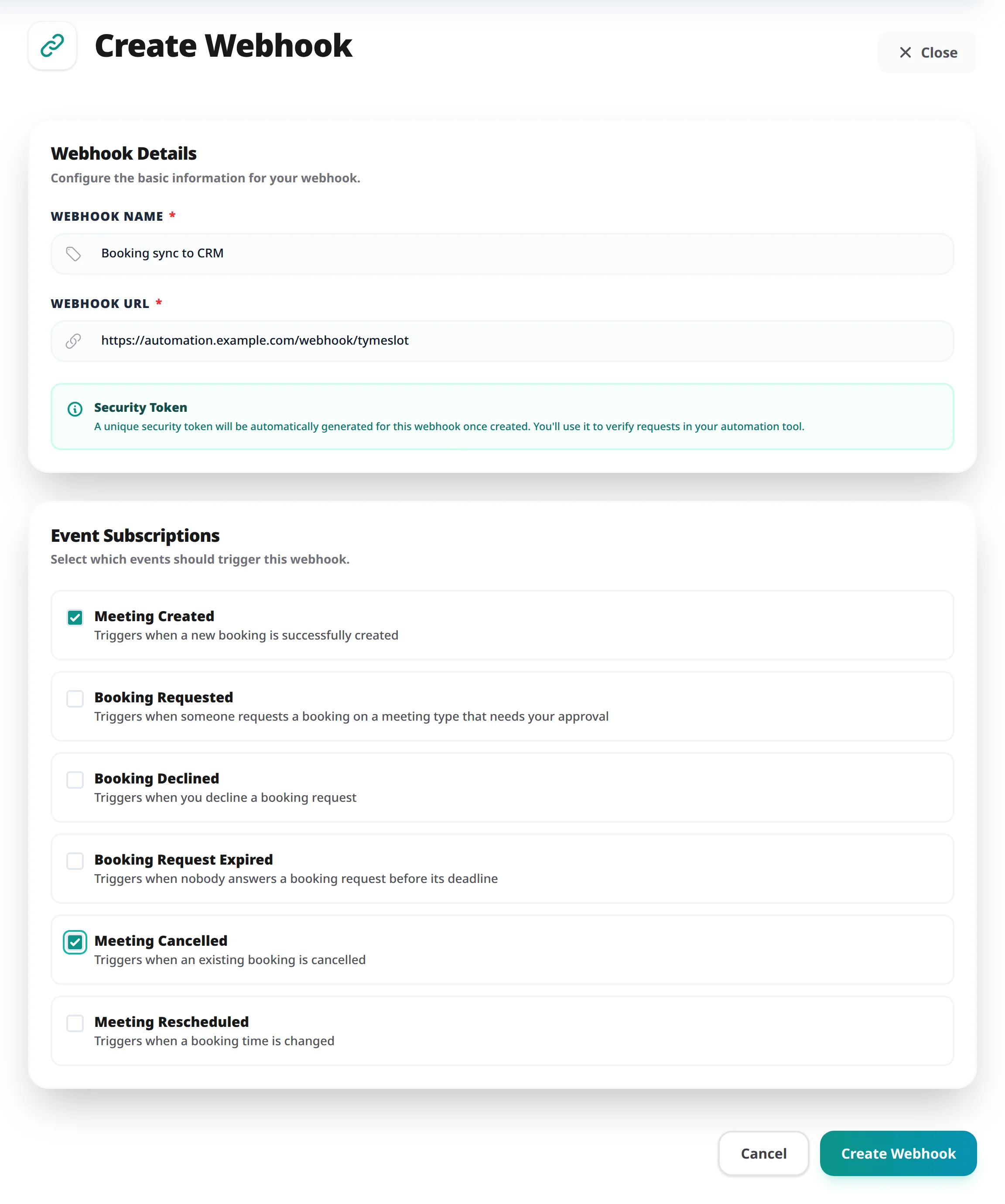
X-Tymeslot-Token
header with every request. We recommend configuring your n8n Webhook node to use **Header Auth** with this token to ensure only Tymeslot can trigger your workflow.
Verify that data is flowing correctly:
Tymeslot sends a standardized JSON payload. Here is what you can expect in n8n. For the full list of event types, all payload fields, and header verification details, see the Webhook Events Reference.
{
  "event": "meeting.created",
  "timestamp": "2026-01-07T12:00:00Z",
  "webhook_id": "123",
  "data": {
    "meeting": {
      "id": "...",
      "title": "Quick Sync",
      "start_time": "2026-01-08T10:00:00Z",
      "attendee": {
        "name": "John Doe",
        "email": "john@example.com"
      },
      "urls": {
        "view": "https://...",
        "meeting": "https://..."
      }
    }
  }
}Tymeslot webhook reference: meeting.created, cancelled, and rescheduled events with full payload schemas, X-Delivery-ID for deduplication, and retry behaviour.