Webhook Events Reference
Tymeslot webhook reference: all six meeting events (created, requested, declined, request expired, cancelled and rescheduled) with payload schemas, X-Tymeslot-Delivery-Id for deduplication, and retry behaviour.
Connect Tymeslot to n8n with a webhook, so any of its six meeting events (a booking, a booking request and its outcome, a reschedule or a cancellation) starts an n8n workflow.

Zaktualizowano: 23 czerwca 2026
n8n is a self-hostable workflow automation tool. With Tymeslot webhooks feeding n8n, you can:
First, set up the receiving end in n8n:
tymeslot-bookings.
ALLOW_PRIVATE_IPS_FOR_WEBHOOKS=true.
Next, tell Tymeslot where to send the data:
meeting.created).
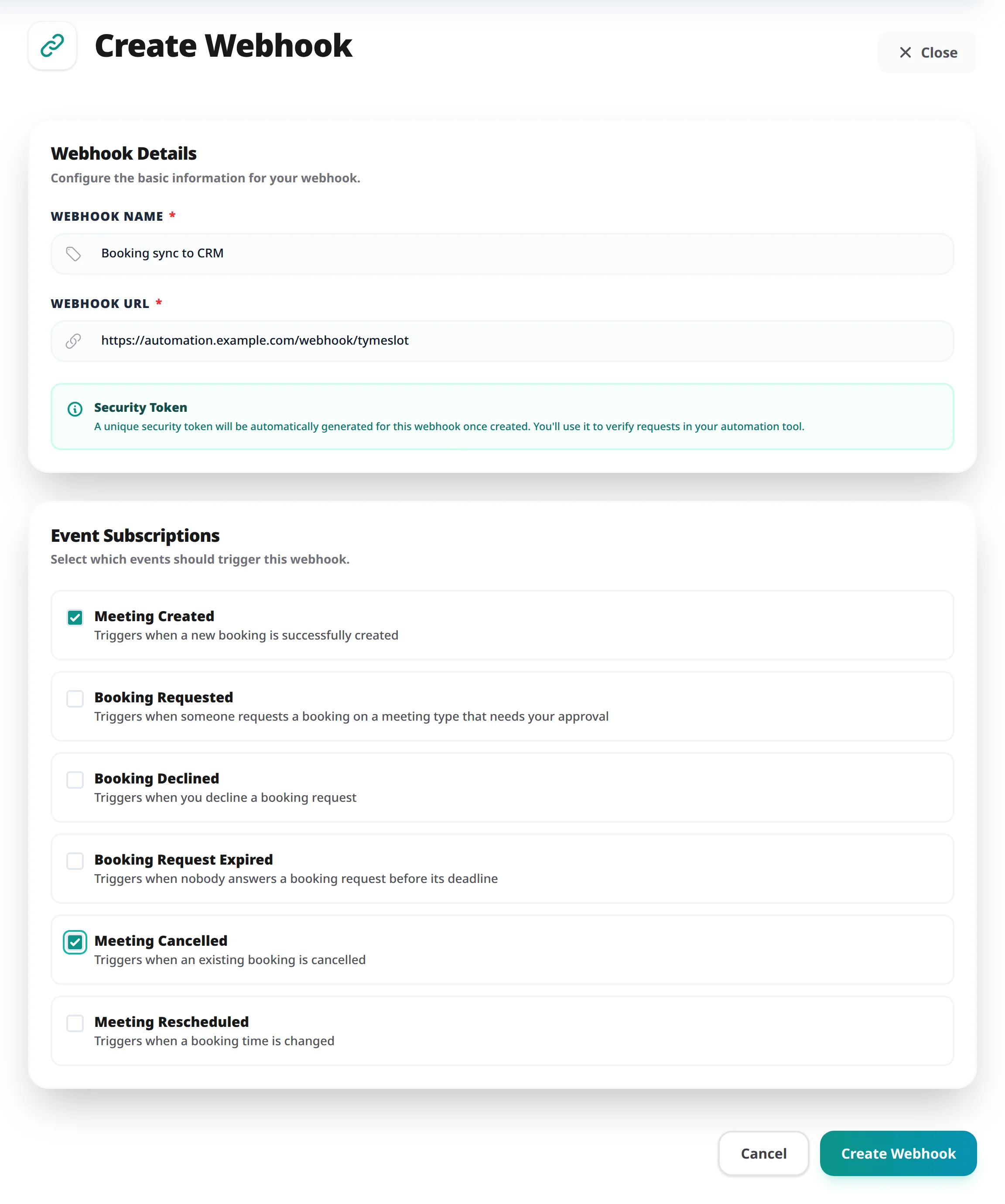
X-Tymeslot-Token
header with every request. Set your n8n Webhook node's authentication to Header Auth, with
X-Tymeslot-Token
as the header name and the token as its value, so only Tymeslot can trigger your workflow. To copy the token, click the edit (pencil) icon on the webhook card. Where tampering matters, a Code node can also check the
X-Tymeslot-Signature
header, as described in the Webhook Events Reference. The signature covers the exact bytes Tymeslot sent, so first turn on
Raw Body
under the Webhook node's Options. n8n then passes the unparsed body on as binary data, which the Code node reads with
await this.helpers.getBinaryDataBuffer(0, 'data')
; compute the HMAC over that buffer. Re-serialising the parsed JSON body will not work, because its key order and spacing differ from what was signed. On a self-hosted n8n, the Code node can only load Node's
crypto
module once you set
NODE_FUNCTION_ALLOW_BUILTIN=crypto
.
Check that data arrives:
webhook.test
arrives in n8n straight away. Test calls do not appear in the webhook's logs.
Every event uses the same JSON envelope. Below is a shortened example of what arrives in n8n. For the full list of event types, all payload fields, and header verification details, see the Webhook Events Reference.
{
  "event": "meeting.created",
  "timestamp": "2026-01-07T12:00:00Z",
  "webhook_id": "123",
  "data": {
    "meeting": {
      "id": "...",
      "title": "Quick Sync",
      "start_time": "2026-01-08T10:00:00Z",
      "attendee": {
        "name": "John Doe",
        "email": "john@example.com"
      },
      "urls": {
        "view": "https://...",
        "meeting": "https://..."
      }
    }
  }
}Tymeslot webhook reference: all six meeting events (created, requested, declined, request expired, cancelled and rescheduled) with payload schemas, X-Tymeslot-Delivery-Id for deduplication, and retry behaviour.