Full Feature Reference

Everything Tymeslot
can do.

A complete look at every feature — from calendar sync to Telegram notifications. No surprises. No lock-in.

6 Calendar Providers 4 Video Providers 4 Languages Open Source
Scheduling

Your calendar. Under control.

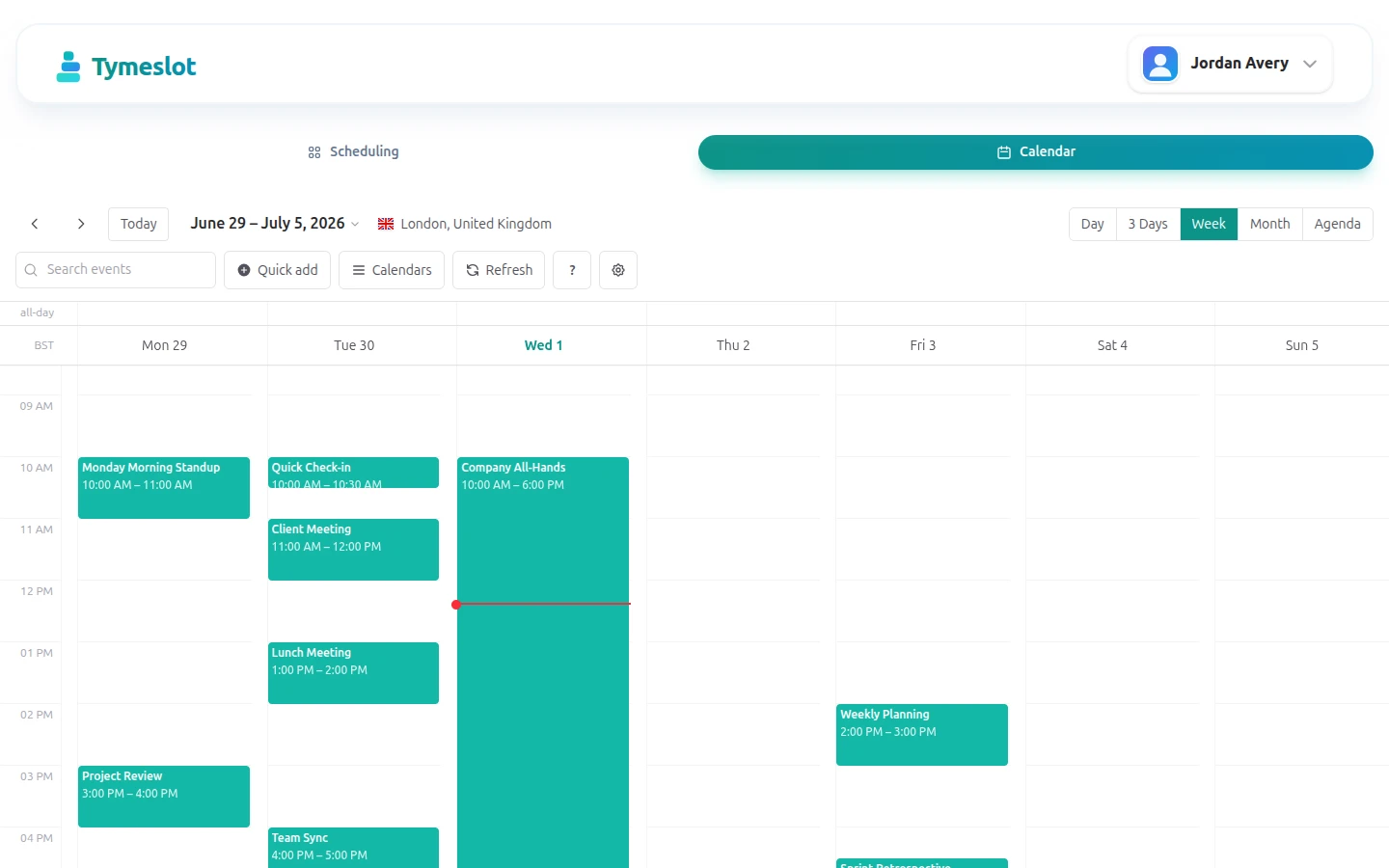
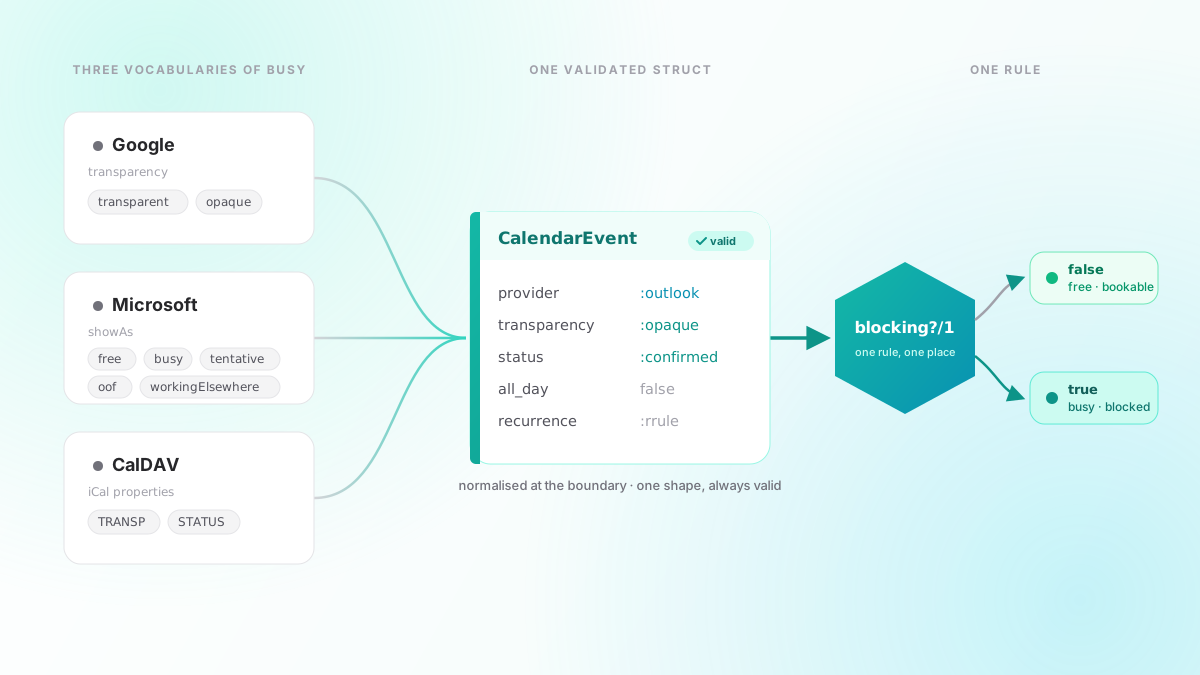
Tymeslot reads availability across all your connected calendars simultaneously — a conflict anywhere blocks the slot everywhere.

📅

Real-time calendar sync

Connect Google, Outlook, CalDAV, and Nextcloud — simultaneously. The moment a new event lands on any of them, that time window is blocked across all your booking types.

Every booking request triggers an instant availability check across all connected accounts — one conflict anywhere blocks the slot everywhere before it is confirmed.

google icon Google Calendar
outlook icon Outlook / Microsoft 365
caldav icon CalDAV
nextcloud icon Nextcloud
zimbra icon Zimbra
radicale icon Radicale
⏱️

Buffer Time

Add padding before and after every meeting — for prep, travel, or just breathing room between back-to-backs. Configurable independently per event type.

📆

Availability Windows

Set working hours per day of the week. Block lunches, focus time, or personal commitments independently — Monday can have different hours than Friday.

🔢

Daily Booking Limits

Cap how many meetings you accept per day. Once the limit is reached, that day is automatically blocked — no manual juggling required.

🗓️

Advance Booking Window

Control how far in advance someone can book — from 7 days to 6 months. Prevents last-minute chaos and keeps your calendar predictable.

⚠️

Minimum Notice

Require a minimum lead time before a booking can be made. If you need 24 hours notice, slots within that window are automatically hidden.

🌍

Global Timezone Support

Automatic timezone detection with full DST support. Guests book in their local timezone; you see everything converted to yours — zero mental math required.

Integrations

Connects to the tools you already use.

Tymeslot slots into your existing workflow. Connect your calendars, choose a video tool, and you're done.

📅

Calendar Providers

Connect one calendar or many. OAuth providers sync automatically; CalDAV servers are polled on a configurable interval. Free/busy data is read across all connected accounts at once — one unified availability view.

Multiple accounts from the same provider are supported — connect a work Google Calendar and a personal one independently.

google icon
Google Calendar
Two-way OAuth sync. Bookings appear instantly and cancelled events free up slots in real time. Supports personal and Workspace accounts.
Setup guide →
outlook icon
Outlook / Microsoft 365
Full Microsoft 365 and Outlook.com support via OAuth. Work, school, and personal accounts — including Exchange Online.
Setup guide →
caldav icon
CalDAV
Open-standard CalDAV for Fastmail, iCloud, Radicale, Zimbra, and any compatible server. Works anywhere the protocol is supported.
Setup guide →
nextcloud icon
Nextcloud
First-class Nextcloud Calendar integration. Ideal for teams running their own infrastructure — no third-party cloud required.
Setup guide →
zimbra icon
Zimbra
Zimbra Calendar via CalDAV. Works with on-premise and hosted Zimbra deployments — personal and shared calendars.
Setup guide →
radicale icon
Radicale
Connect to a self-hosted Radicale server. Full control over your calendar data — no external service required.
Setup guide →
🎥

Video Conferencing

A video room is generated automatically when a meeting is confirmed. The link is embedded in the confirmation email and the .ics calendar invite — your guest arrives at a working room with zero extra steps.

Video links are included in all outgoing emails and calendar attachments. No additional setup required on the guest's side.

mirotalk icon
MiroTalk P2P
Open-source peer-to-peer video. No account required for guests. Self-host it for complete privacy.
Setup guide →
google_meet icon
Google Meet
Auto-generate Meet links on each booking. Guests join from their confirmation email in one click — no app install required.
Setup guide →
teams icon
Microsoft Teams
Creates a Teams meeting automatically on each booking, included in the calendar invite and confirmation email.
Setup guide →
custom icon
Custom Link
Paste any static or dynamic URL — Zoom, Whereby, Around, or your own room. Works with every platform.
Automation

Your workflow. Automated.

Push booking events to your automation stack or straight to your phone — the moment they happen.

🪝

Webhooks

Send real-time HTTP POST payloads to n8n, Zapier, Make, or your own backend whenever a booking event fires.

Full delivery history and one-click connection testing are built in to the dashboard. Each payload includes the full meeting object — attendee, time, video link, and more.

meeting.created A new booking is successfully confirmed
meeting.cancelled An existing booking is cancelled
meeting.rescheduled A booking is moved to a new time slot
🔐

Every request includes a signed X-Tymeslot-Token header. Verify it in your endpoint to reject forged payloads.

Works with: n8n Zapier Make your own backend

Telegram Notifications

Get instant messages when meetings are booked, cancelled, or rescheduled — directly to your Telegram account or a group chat.

Connect by pasting a bot token and chat ID into your account settings. No server required, no polling — Tymeslot pushes the message the moment the event fires.

📅
New booking
Attendee name, time, email, and video link
Cancellation
Who cancelled, original time, and reason if provided
🔄
Reschedule
Who rescheduled and the new confirmed time
Embed & Share

Your booking page. Everywhere.

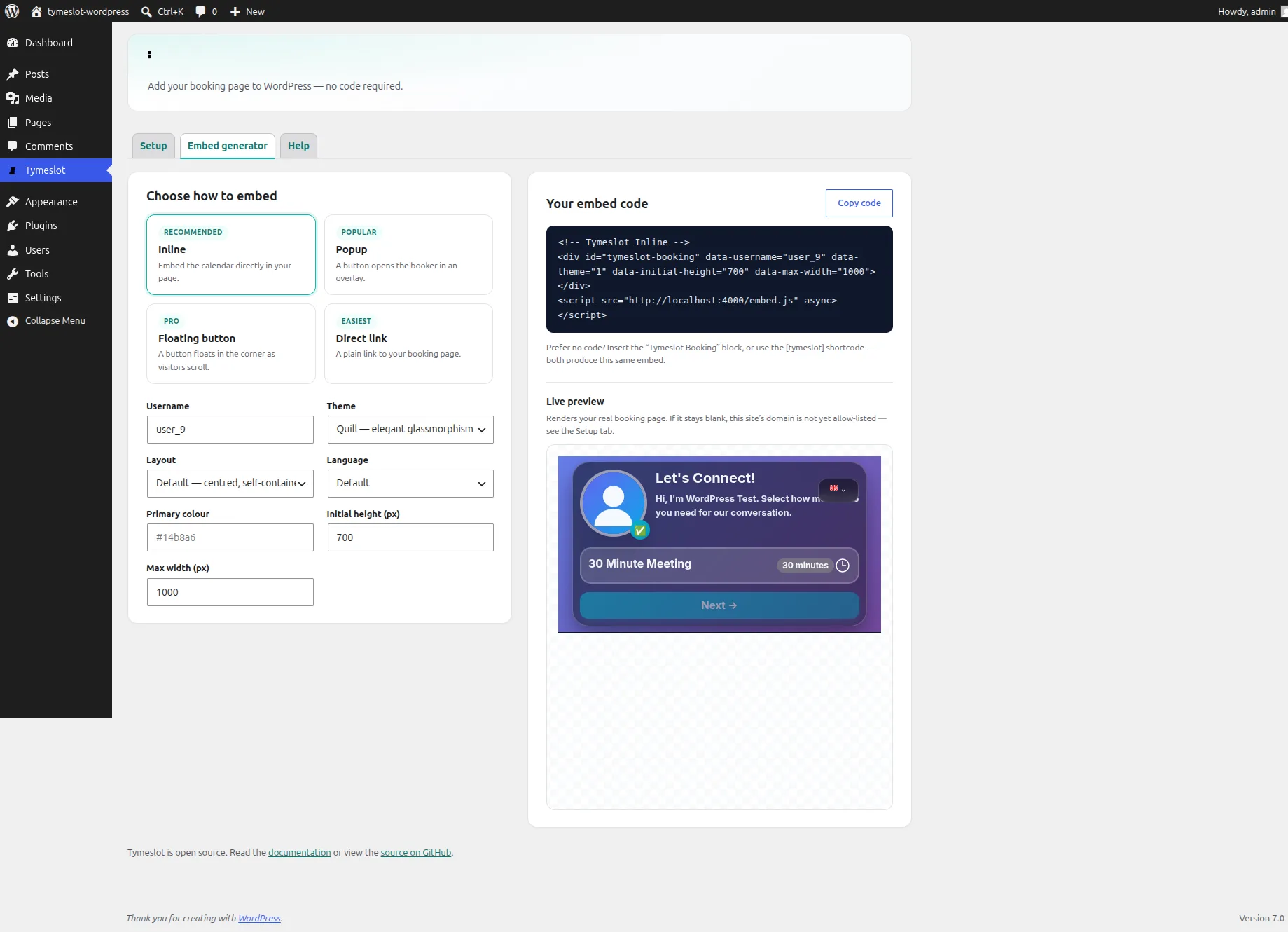
Put your booking calendar wherever your audience is. One script tag, four embed modes, zero configuration required.

🖼️ Recommended

Inline Embed

Embed the booking calendar directly into your page with a single script tag and div. Supports data-theme, data-primary-color, and data-locale attributes for per-embed customization.

💬 Popular

Popup Modal

Trigger a fullscreen booking modal from any button or link using a data attribute. No custom JavaScript needed — great for hero sections, landing pages, and CTAs.

🔗 Easiest

Direct Link

Share your personal booking URL directly — in email signatures, social media bios, or anywhere you can paste a link. No website required.

🌐 Pro

Floating Button

A persistent booking button fixed to the corner of every page — like a chat widget, but for meetings. Drops onto any site with a single script tag.

inline embed example
<!-- 1. Load once --%>
<script src="https://tymeslot.app/js/embed.js"></script>

<!-- 2. Place wherever you want the calendar --%>
<div
  data-tymeslot-embed="your-username"
  data-theme="rhythm"
  data-locale="en"
></div>
🔒

Domain Whitelist

Lock your embed to specific domains. Only whitelisted origins can render your booking widget — prevents unauthorized embedding of your scheduling page on third-party sites.

Customization

Your brand. Your rules.

Theme, colors, background, language, and branding — each booking page is independently configurable.

🎨

Multiple Themes

Choose from built-in booking page themes: Quill (minimal) and Rhythm (modern). Each is polished, responsive, and includes a dark mode variant.

🌈

Custom Accent Color

Override the primary color on supported themes to match your brand identity. Applies to buttons, links, and interactive elements throughout the booking flow.

🖼️

Background Options

Set a gradient, upload a custom image, or use a video background — each theme supports a different set of background options, surfaced in theme settings.

💎

White-label

Pro

Remove all Tymeslot branding from booking pages — logo, footer, and powered-by notice. Your booking page, fully on-brand.

🌐

4 Languages

Booking pages auto-detect the visitor's browser language and render in English, German, Ukrainian, or French. Hosts can also pin a specific locale.

Communications

Emails that look like you care.

Professional transactional emails out of the box — rendered correctly in every client, with calendar attachments and reminders included.

📧

Responsive Email Templates

Professionally designed confirmation, cancellation, and reschedule emails that look great in Gmail, Apple Mail, Outlook, and on mobile — every client, every device.

📎

.ics Calendar Invites

Every confirmation email includes a standards-compliant .ics attachment. Guests add the event to any calendar app in one click — Google, Outlook, Apple, all of them.

Automatic Reminders

Send reminder emails at a configurable interval before each meeting. Set the reminder window per event type — 24 hours, 1 hour, whatever reduces your no-show rate.

🔔

Cancellation & Reschedule Notices

Guests cancel or reschedule via a secure, signed link in their confirmation email — no login required. Both parties receive an immediate notification with the updated details.

Security & Privacy

Built secure. By default.

No opt-in security settings. Encrypted, rate-limited, and tracking-free from the first request.

🔐

OAuth 2.0 / OIDC

Sign in with Google, GitHub, and any OIDC-compatible provider. Passwordless SSO is supported from day one — no plugin, no add-on.

🔒

AES Encryption at Rest

All API credentials, calendar tokens, and webhook secrets are AES-encrypted before storage. Sensitive data never sits in plaintext in the database.

🛡️

Rate Limiting

Every booking page, login, and API endpoint is automatically throttled against brute-force attacks and scraping — protection is on by default, not opt-in.

🚫

Zero Tracking

No analytics pixels, no third-party trackers, no data sold. Visitor data stays on your instance. Tymeslot.app itself uses only self-hosted, privacy-respecting analytics.

🔍

Open Source Core

Every line of Core is public on GitHub under the Elastic License v2. Audit the code, run it yourself, or fork it. No hidden telemetry, no black boxes.

View on GitHub
🛑

Tamper-Proof Forms

All forms and state-changing actions are protected against cross-site request forgery — applied globally by default, nothing to configure.

Tymeslot Core is open source Every line is public on GitHub. Audit it, fork it, or run it yourself.
View on GitHub
Deployment

Your infrastructure. Your choice.

Run Tymeslot wherever suits you. The Core source is fully open and self-hostable — the managed cloud is just one option.

☁️

Managed Cloud

tymeslot.app — zero infrastructure to manage. We handle uptime, backups, and updates. The Core plan is always free.

This site
🐳

Docker

Self-host on any Linux server with a single docker-compose file. Full control over your data, your config, and your upgrade schedule.

Official image Setup guide →
📦

Cloudron

One-click install from the Cloudron App Store. Automatic updates, backups, and SSL handled by the platform.

🚂

Railway

Deploy via the community template in a few clicks. Production-ready in minutes — no Docker knowledge required.

Community template Setup guide →

Ready to stop the
back-and-forth?

Core scheduling is always free. Go Pro to unlock white-label branding and support open-source development.

No credit card required
Pro: €5 / month
Setup in 5 minutes