What's new in Tymeslot 1.3: a fuller calendar, Apple iCloud, and open source

1 de julio de 2026 · 4 min de lectura · Actualizado el 13 de octubre de 2026
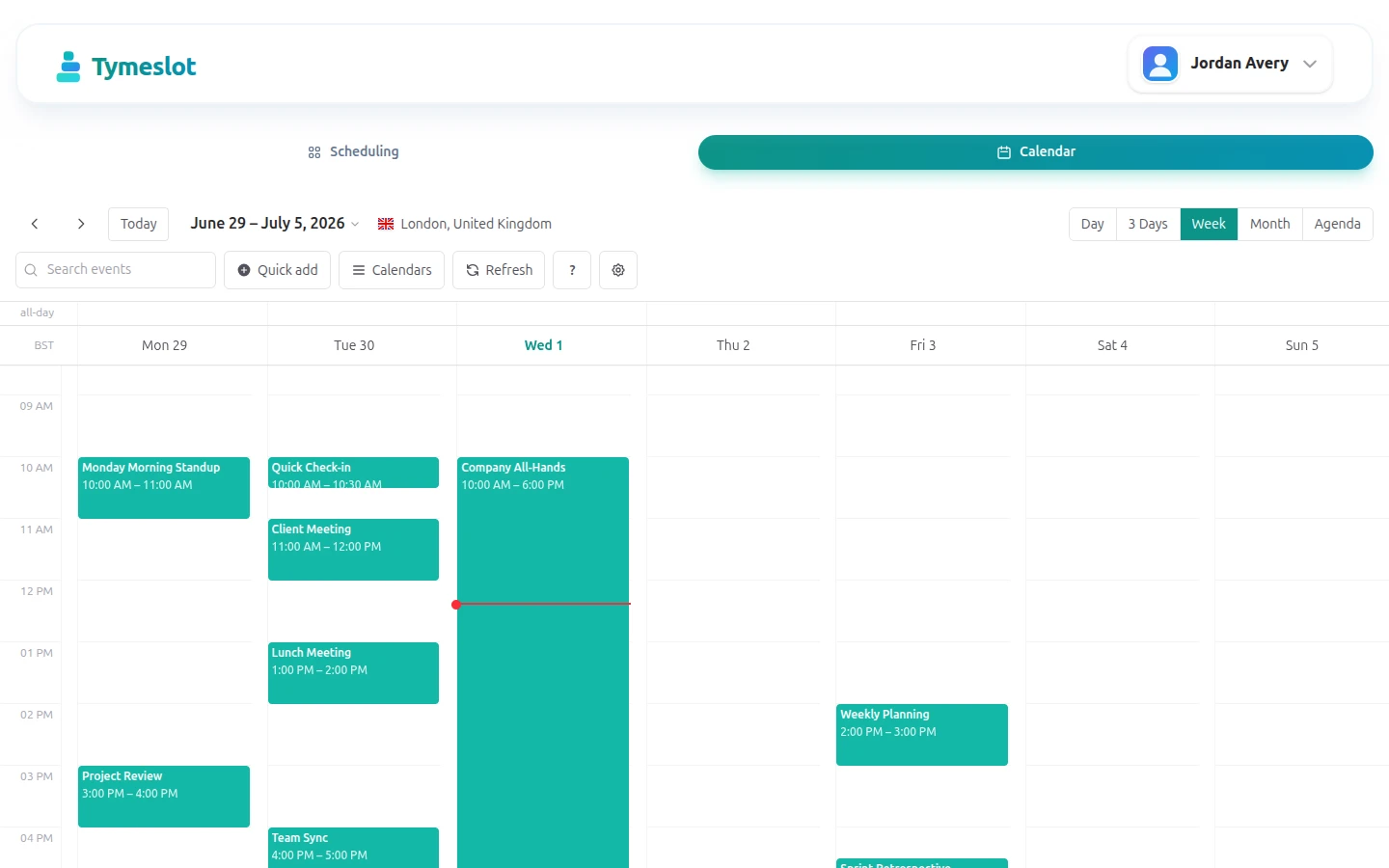
Tymeslot 1.3 does two things. The calendar built into Tymeslot now does enough that you can run your day from it. And the code underneath the whole product is now open source. Here is what changed.
The calendar you already had, now worth using
Tymeslot has had a calendar for a while: a month, week and day grid that shows your synced events, lets you create and edit them, and drag them around. It worked, but it was mostly a viewer. If you wanted to set a repeating event, add a reminder or find last Tuesday's call, you went back to whichever calendar app you came from.
1.3 closes most of those gaps. What you can do now that you couldn't before:
- Create and toggle all-day events, not just see them when they arrive from a sync.
- Build a repeating event from scratch (daily, weekly on chosen weekdays, monthly or yearly, ending on a date, after a set number of times, or never) and edit the rule afterwards. Until now, Tymeslot only asked about recurrence when you moved an event that already repeated.
- Give any event its own colour, on top of the colour each synced calendar already gets, so a glance tells you what kind of day it is.
- Set a reminder that travels with the event: Tymeslot writes it back to the calendar you synced from, so the alert fires wherever you already look.
- Get a browser desktop notification before an event starts, if you keep Tymeslot open in a tab.
- Search your events instead of scrolling to find one.
- Switch to an agenda view when a list suits the day better than a grid.
- Jump to any date with the mini-month picker in the toolbar.
- Learn the keyboard shortcuts from a help overlay and keep your hands off the mouse.
None of this asks you to move your life into Tymeslot. It syncs with the calendar you already keep; the trip out to that calendar is now optional.
Now with Apple iCloud
Tymeslot already synced with Google, Outlook and CalDAV servers. 1.3 adds Apple iCloud to the list. Connect an iCloud calendar with an app-specific password and its events appear in the same grid, block the same booking slots, and receive the events you create in Tymeslot. If your appointments live in Apple's calendar, your booking page now knows about them.

Tymeslot is now open source
The bigger change in 1.3 is not something you click. Tymeslot's code is now licensed under the GNU Affero General Public License v3 (AGPLv3), replacing the Elastic License 2.0 it shipped under before. The Elastic License made the source available with restrictions, but it is not an open-source licence; the AGPL is.
For most people booking a meeting, nothing changes. For anyone who wants to run Tymeslot themselves, the terms change completely: you can now use, study, modify and redistribute the self-hosted app under a licence the Open Source Initiative approves. The usual AGPL condition applies: if you run a modified version as a service, you have to offer its source code to the people who use it. The managed service at tymeslot.app carries on as before.
We wanted Tymeslot to be something you can own as well as rent, and this licence is what makes that possible.
A better first five minutes
Setting up used to mean picking a theme after you had already finished onboarding, more or less on faith. 1.3 moves the choice into onboarding and shows a live preview of your booking page as you go, so you see what visitors will see while you are still setting it up.

Also in 1.3
A few smaller things came along with the release:
- The WordPress plugin is now listed on WordPress.org, and the embed settings link straight to it.
- Recurring and all-day events keep the right times across daylight-saving changes, including weekly events set to repeat on particular weekdays.
- All-day repeating events now stop on their end date instead of running past it.
- CalDAV events with unfamiliar timezones are read at the correct time.
- Guests who have already declined an invitation no longer get emailed every time the event is edited.
The full list is on the changelog. As always, tell us what you want next.