The Tymeslot WordPress plugin

June 24, 2026 · 3 min read
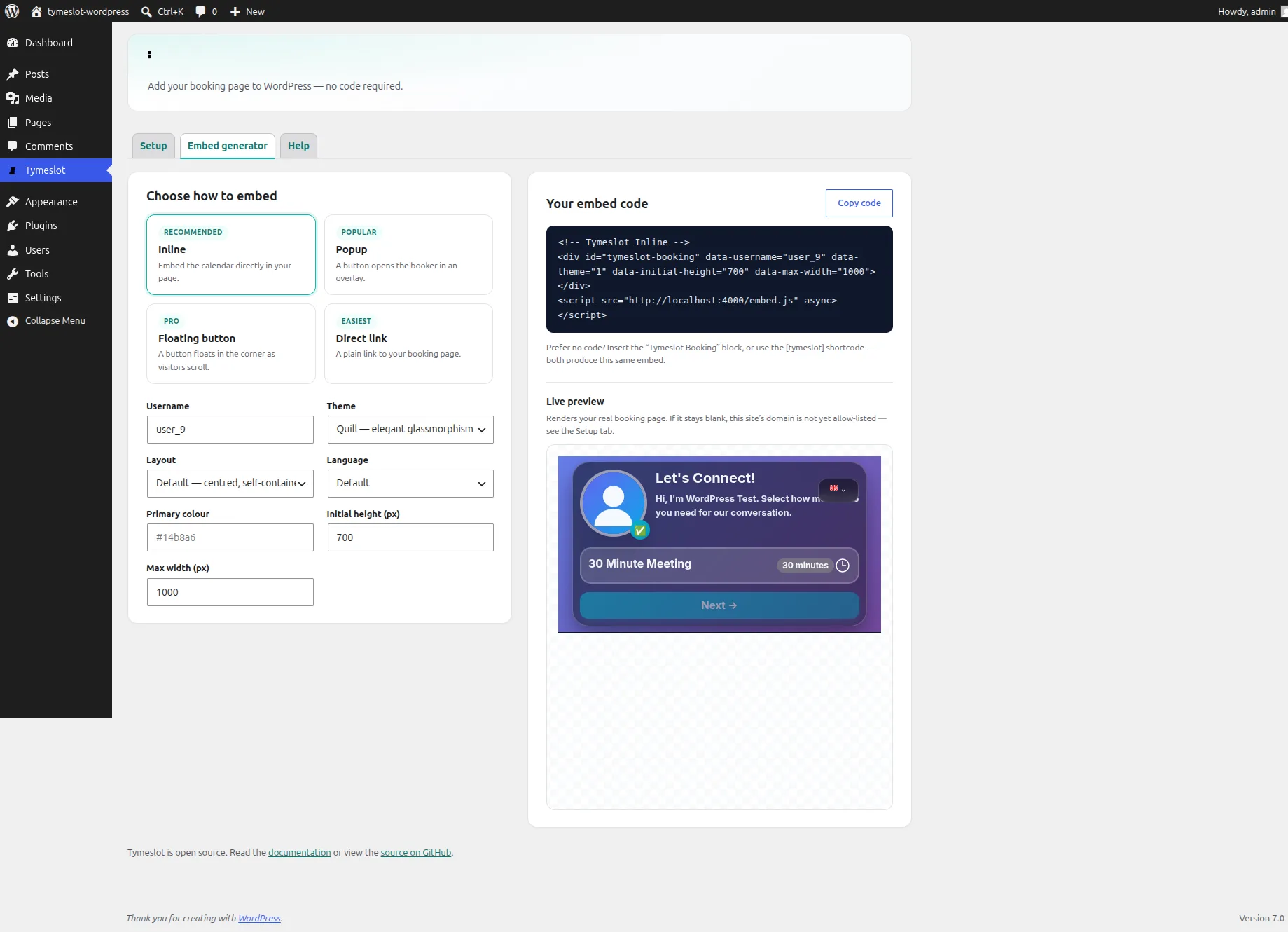
WordPress runs a large share of the web, and for a long time putting a Tymeslot booker on a WordPress site meant the same chore as anywhere else: open your dashboard, copy a snippet of HTML, find the right "Custom HTML" block, paste, and hope a caching plugin or a tidy-minded theme didn't quietly strip the script. It worked, but it asked you to think about embed code on a platform whose whole promise is that you shouldn't have to.
So there is now an official Tymeslot plugin for WordPress. It wraps the same embed engine your dashboard already uses, and hands it to you the way WordPress expects: a block, a shortcode, and a settings screen — no code to paste.
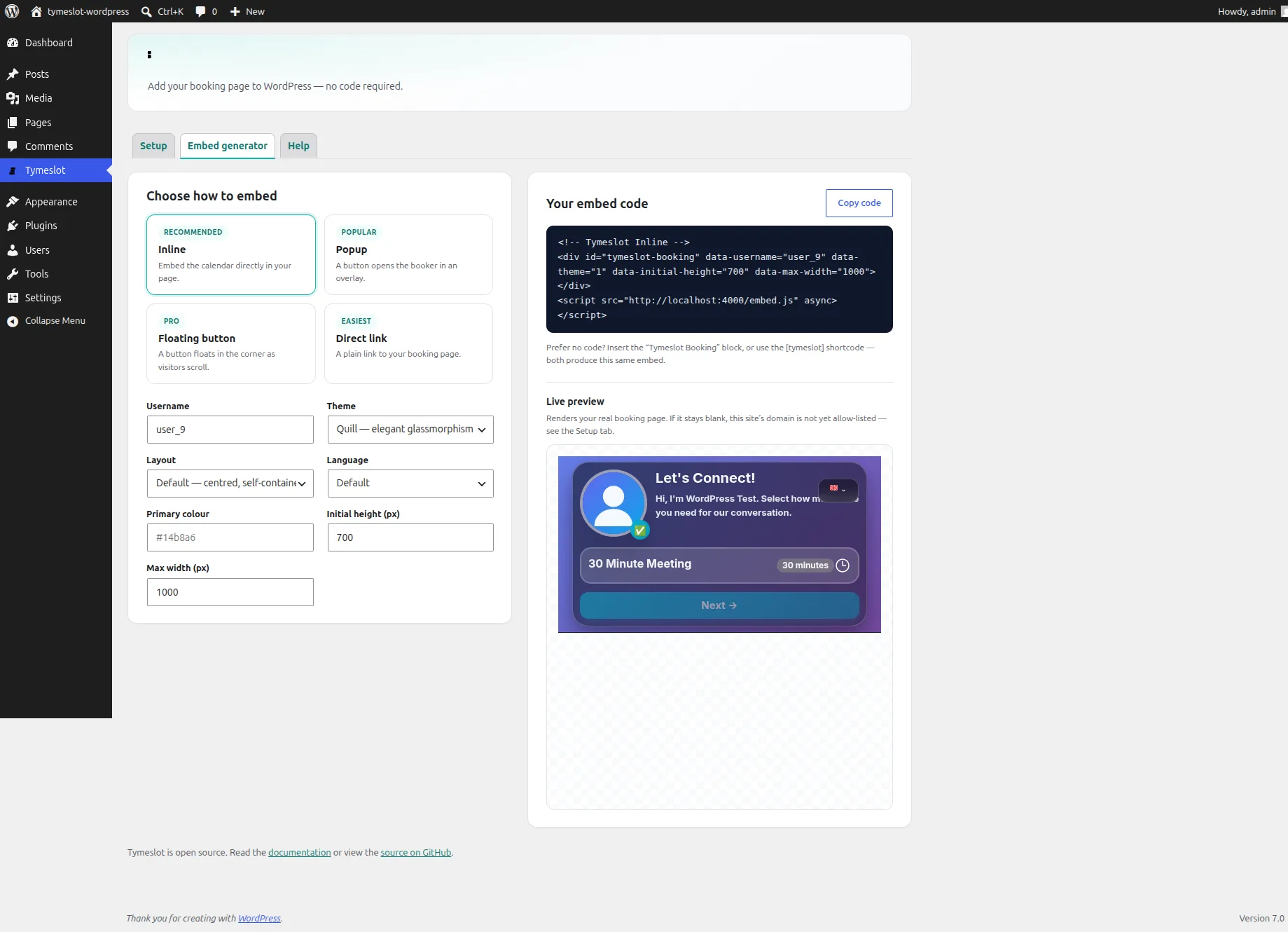
The embed generator, inside WordPress: pick a mode, set the look, and watch your real booking page render in the preview.
Three ways to add it
Insert the Tymeslot Booking block and configure it in the sidebar — inline, popup, floating button, or a plain link — and the editor shows a tidy placeholder while the real booker renders on the published page. Prefer writing? The [tymeslot] shortcode drops into any post, page, or widget. And if you build pages in Elementor, Divi, or a custom theme, the embed generator builds a ready-made snippet with a live preview and a one-click copy.
All three run through one engine, so whichever you reach for, the output is identical to what your Tymeslot dashboard produces. There is no second place for the snippet logic to live, and nothing to drift out of sync.
Cloud or self-hosted, with a switch
Tymeslot is open source — you can self-host the whole platform or use the managed cloud — and the plugin treats both as first-class. The Setup tab is a simple choice: Cloud, the default, with nothing to configure; or Self-hosted, which reveals a single field for your own instance URL. Point it at your server, or switch back to the cloud, and every block and shortcode on the site follows along.
It tells you when embedding is blocked
Tymeslot only lets your booking page be framed on domains you approve — a deliberate safeguard, but also the most common reason a freshly pasted embed shows up blank. The plugin meets that head-on. The Setup tab runs a live check that loads your real booking page from inside WordPress and tells you, right there in the browser, whether this site is allow-listed yet. And on the front end, if a page isn't approved, visitors see a short, clear "booking is currently unavailable" message — never the Tymeslot homepage rendered inside your site, which is what a bare iframe would have done.
Your brand, without re-entering it
Theme, layout, and language are yours to set once as defaults and override per embed. The accent colour you don't set at all in WordPress — it's the palette you already chose in your Tymeslot account, and it carries into every embed automatically. The plugin stores only your settings; your booking data stays in your Tymeslot account.
Getting it
The plugin is open source and lives at github.com/Tymeslot/tymeslot-wordpress — download the latest release, upload it under Plugins → Add New, and you're a username away from a booker on your page. The full walkthrough is in the WordPress plugin guide.
It's heading to the WordPress.org plugin directory next. If you run Tymeslot on WordPress, give it a try — and tell us what you'd like it to do.