Connect your own Stripe account and turn any meeting type into a paid booking. Take a deposit or the full fee up front - the slot is confirmed only once payment clears.
Bring your own Stripe
13 currencies
One-click refunds
Booking and billing usually live in two different places. You schedule the session, then send an invoice afterwards and hope it gets paid - and when someone no-shows a paid slot, that is revenue you simply lose. Collecting payment at the point of booking fixes both: it filters out non-committal enquiries and guarantees the session is paid for before it ever lands on your calendar.
Tymeslot connects your own Stripe account directly. Funds settle straight to your Stripe balance - we never hold or touch the money, and there is no platform cut on top of Stripe's own fees. Charge a small deposit to deter no-shows, take the full fee for a session, or collect a package payment up front, all on a per-meeting-type basis.
How it works
Up and running in minutes
1
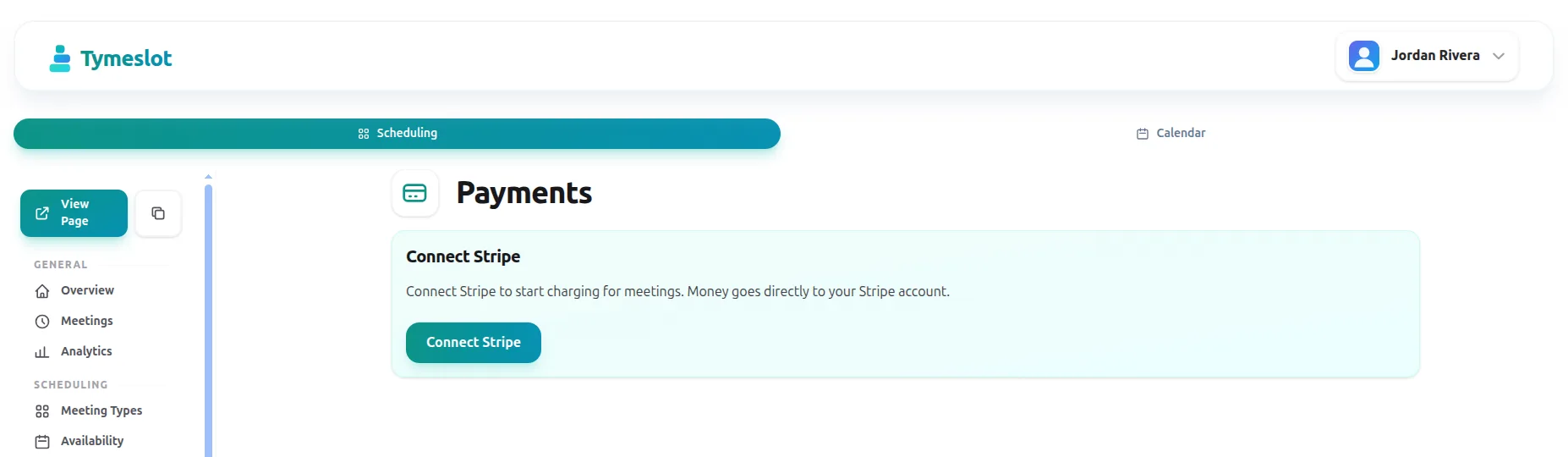
Connect your Stripe account
One click from the dashboard links your own Stripe account. Payouts go straight to your balance - we never sit between you and your money.
2
Set a price per meeting type
Turn any meeting type into a paid booking. Choose a deposit or full payment, set the amount, and pick from 13 supported currencies.
3
Guests pay at checkout
At booking, guests pay through Stripe Checkout - cards, Apple Pay, and Google Pay. The slot is held until the payment clears.
4
Manage refunds in a click
Refund in full or part straight from the dashboard, and cancel-with-refund in one step. Reschedules never trigger a second charge.
What you get
Everything Payments should do
🔌
Bring your own Stripe
Funds go straight to your bank via your own Stripe account - we never touch the money.
💱
13 currencies
Charge in EUR, USD, GBP, CHF, and more - set per host.
💳
Deposits or full payment
Take a deposit to deter no-shows or the full fee up front - per meeting type.
↩️
One-click refunds
Full or partial refunds straight from the dashboard, no Stripe dashboard detour.
🚫
Cancel with refund
Cancel a paid booking and refund it in a single step.
📄
Stripe-hosted receipts
Every paid attendee gets a Stripe receipt emailed automatically.
Why Tymeslot
Your money, your Stripe account
Payments settle straight into your own Stripe balance - we never hold your funds. The only charge on top of Stripe's own is a flat 0.5% on the managed cloud, and even that disappears when you self-host.
Funds settle to you directly
Payments land in your own Stripe balance and pay out to your bank on your Stripe schedule - not ours. We never hold the money.
A flat 0.5% on the cloud
On the managed cloud the only Tymeslot charge is a 0.5% platform fee on top of Stripe's standard processing fees. No monthly fees, no per-transaction add-ons.
Zero platform fee self-hosted
Run Tymeslot on your own server and the platform fee is nil - you pay only Stripe's standard fees, end to end.
Free reschedules
Moving a booking never charges the guest twice. Rescheduling stays friction-free for paid sessions.
Explore more
More of what Tymeslot does
Built the same way as the rest of Tymeslot: open-source, private, self-hostable.
You connect your own Stripe account, then enable payment on any meeting type. Guests pay through Stripe Checkout at the moment they book, and the slot is confirmed once the payment clears. Funds settle straight to your Stripe balance.
Does Tymeslot take a cut of my payments?
On the managed cloud, Tymeslot adds a flat 0.5% platform fee on top of Stripe's standard processing fees - no monthly fees and no per-transaction add-ons beyond that. Because you connect your own Stripe account, payments settle directly to your balance and we never hold the money. Self-host Tymeslot and the platform fee is zero; you pay only Stripe's fees.
Can I take a deposit instead of the full amount?
Yes. Per meeting type you can require a deposit or the full fee. A small deposit is an effective way to deter no-shows for discovery calls, while full payment up front suits paid sessions and packages.
Which payment methods and currencies are supported?
Stripe Checkout accepts cards, Apple Pay, and Google Pay. You can charge in 13 currencies including EUR, USD, GBP, and CHF, set per host.
What happens with refunds and cancellations?
You can issue full or partial refunds directly from the dashboard, and cancel a paid booking with a refund in a single step. Rescheduling an existing paid booking never triggers a second charge.
Does payment work when I self-host?
Yes. Connect your Stripe account on your own instance and collect payments end to end. As with everything self-hosted, the data stays on your server.
Building an open-source Calendly alternative in Phoenix LiveView
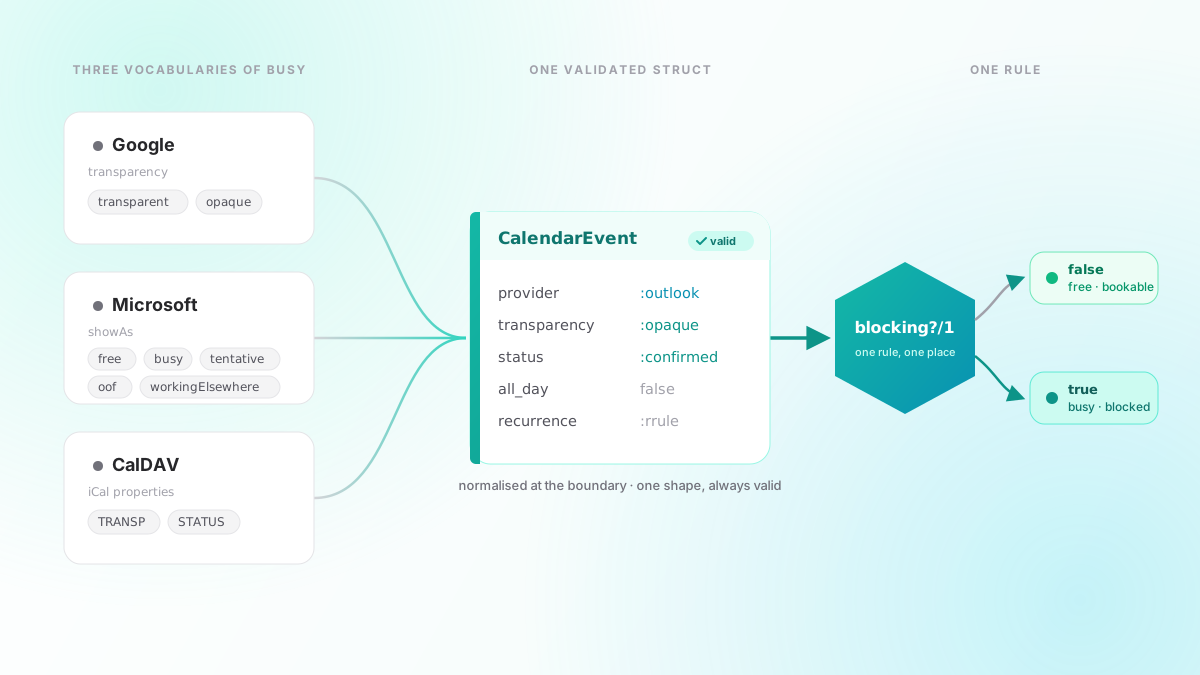
A booking page looks like a form over a calendar. The hard part is that every calendar system disagrees about which events actually make you busy, and once we got that answer in two places, the two places disagreed too.

 Luka Breitig
June 16, 2026 · 4 min read
Luka Breitig
June 16, 2026 · 4 min read