Website Embed

Booking, right where your visitors are

Drop a Tymeslot booking widget onto any page with one script tag. Inline, popup, or floating button — styled to match your brand, no iframe wrangling.

One script tag Inline · popup · floating Works on any site
Start free — no credit card required

Don't send visitors away to book

Every time a potential client has to leave your website to reach a separate booking link, you lose some of them. A new tab, an unfamiliar page, a moment of hesitation — and the booking never happens. The booking flow should live where the intent is: on your own site, in your own brand.

How it works

Up and running in minutes

1

Pick an embed style

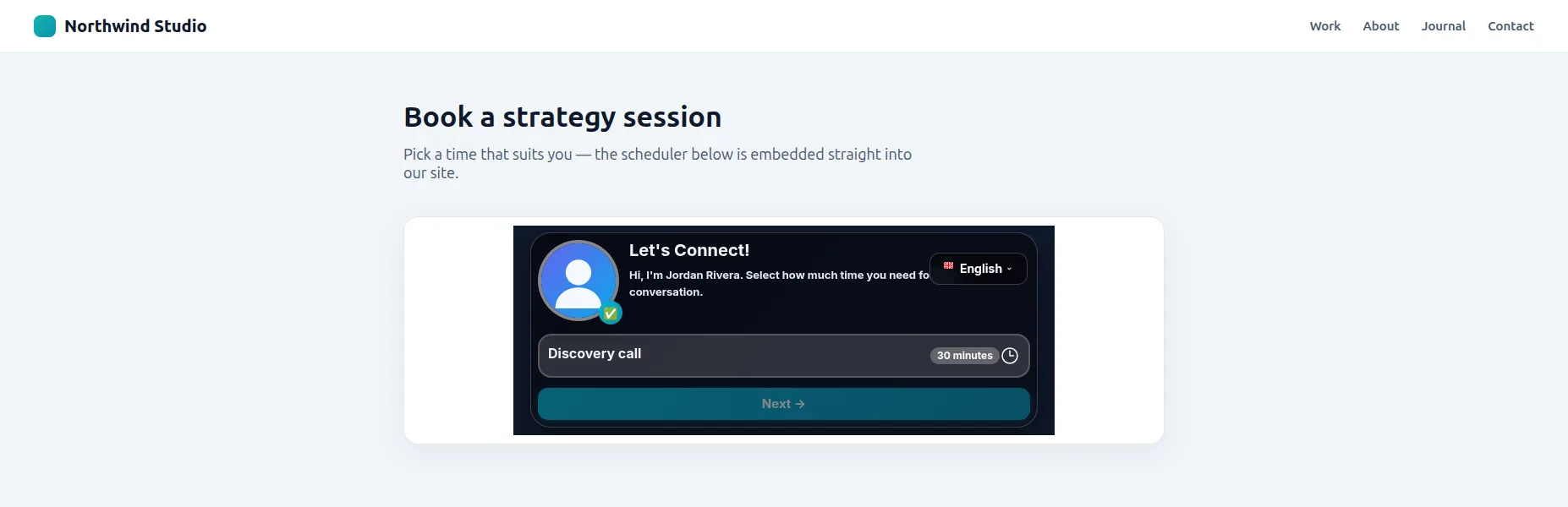
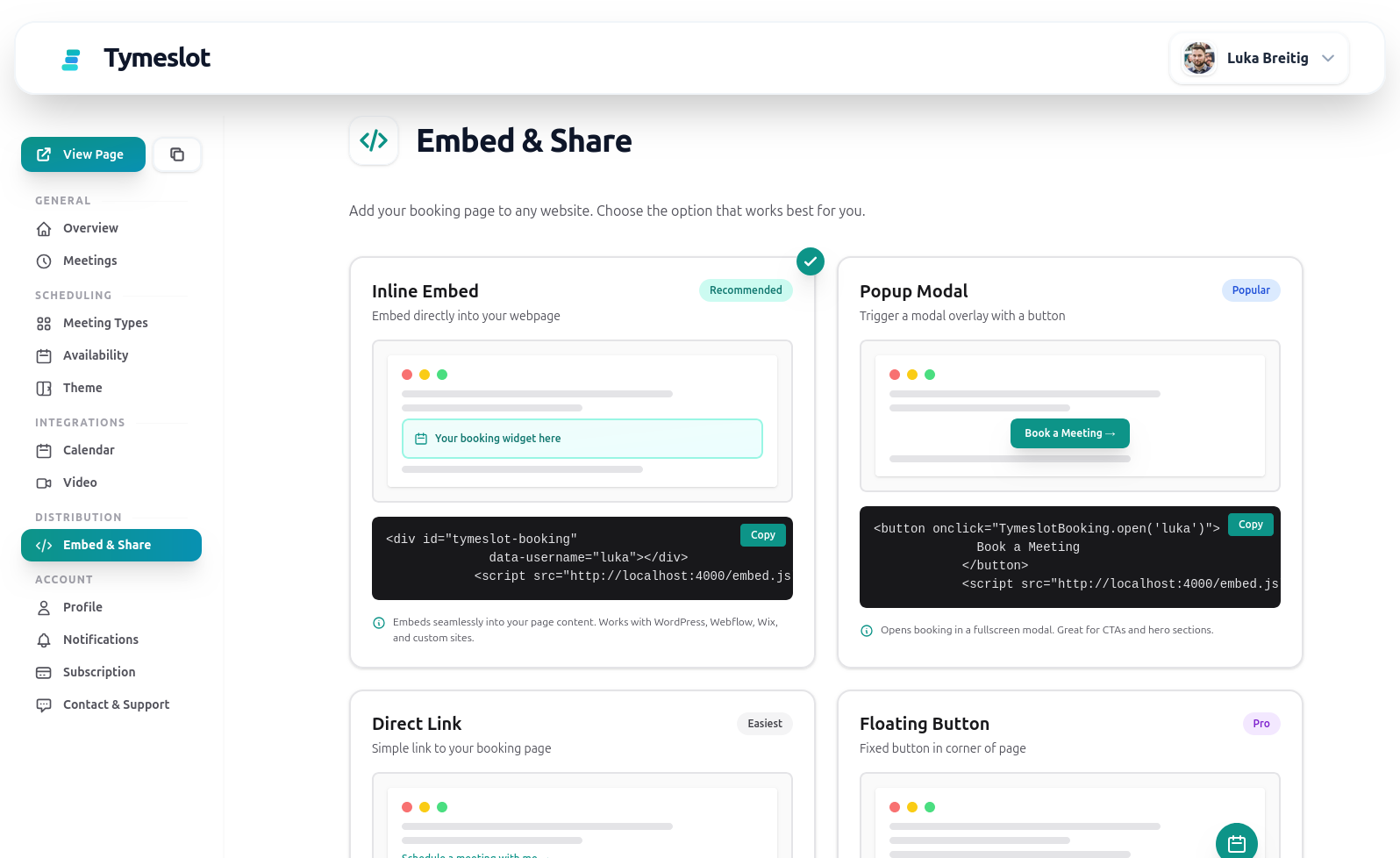
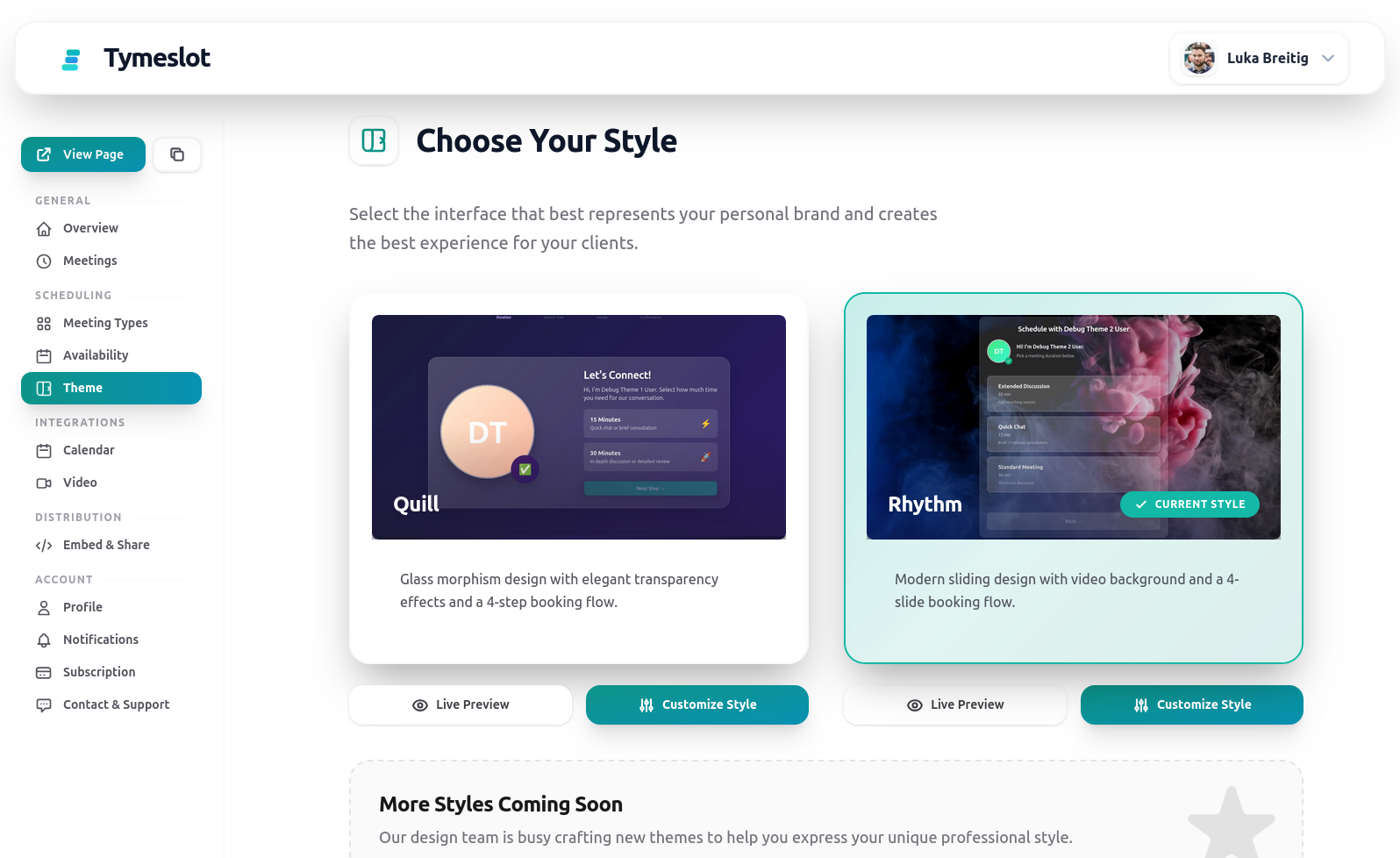
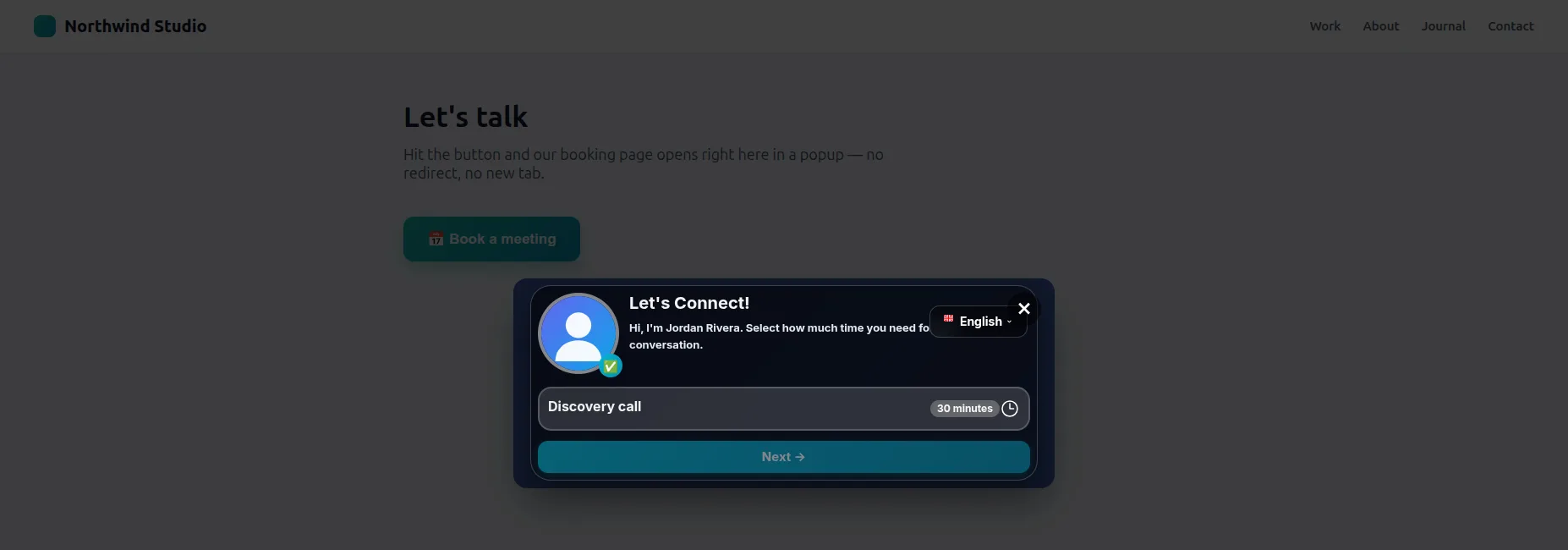
Inline calendar built into the page, a popup modal triggered by any button, or a persistent floating button in the corner.

2

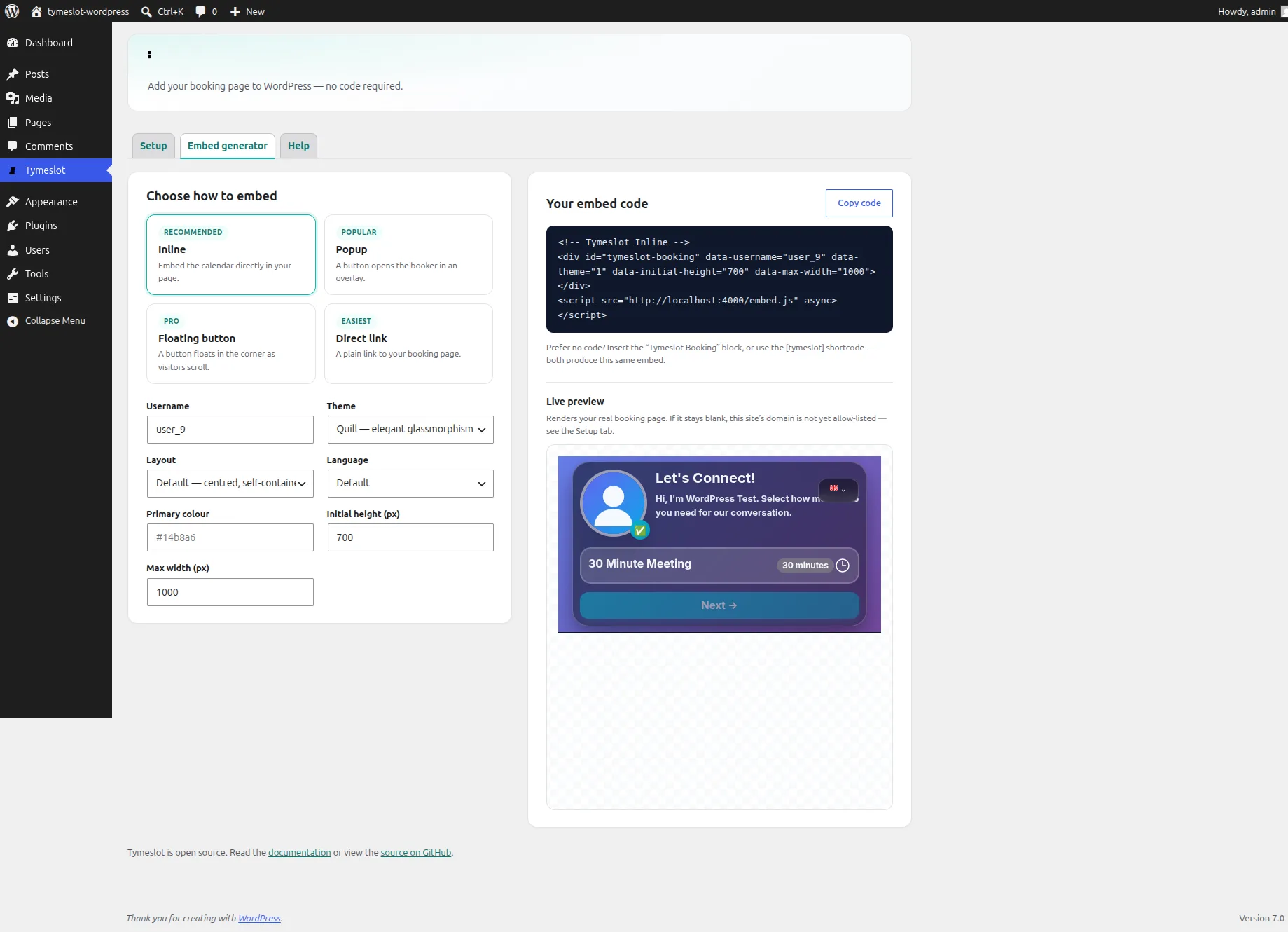
Copy one script tag

Tymeslot generates the snippet for you. Paste it into your site — no build step, no framework, no npm.

3

Match your brand

Set data-theme, data-primary-color, and data-locale on the embed so it blends into your site and speaks your visitor's language.

4

Bookings flow straight in

Guests book without leaving your page. Confirmations, calendar sync, and reminders all work exactly as they do on your hosted booking page.

What you get

Everything Website Embed should do

🖼️

Inline embed

Embed the booking calendar directly in your page with a single script tag and div.

💬

Popup modal

Trigger a fullscreen booking modal from any button or link — perfect for hero CTAs.

🌐

Floating button

A persistent booking button fixed to the corner of every page, like a chat widget.

🔗

Direct link

Prefer no embed? Share your booking URL in an email signature or social bio.

🎨

Per-embed branding

data-theme, data-primary-color, and data-locale let each embed match its host page.

📐

Auto-resizing iframe

The embed reports its height back to the host page, so there are no awkward scrollbars.

Why Tymeslot

An embed that behaves on your site

Embeds are easy to ship and easy to get wrong. Tymeslot's is built to drop in cleanly and stay private.

No framework required

One script tag works on WordPress, Webflow, Squarespace, or a plain HTML file. Nothing to build or bundle.

Auto-resize, no scrollbars

The iframe measures itself and tells the host page how tall to be, so the widget never ends up in a tiny scrolling box.

Themed per embed

The same account can power a dark widget on one site and a branded light one on another — set by attributes, not global settings.

Privacy intact

The embedded booking flow loads no advertising pixels or trackers, so adding it never compromises your visitors' privacy.

FAQ

Frequently Asked Questions

How do I add Tymeslot to my website?
Choose an embed style in your dashboard and copy the generated snippet — a single script tag (plus a div for the inline calendar). Paste it into your site's HTML and the widget appears. No build step or framework is required.
What embed types are available?
Four: an inline calendar embedded in the page, a popup modal triggered from any button, a persistent floating button, and a plain direct link for when you don't want an embed at all.
Does the embed work with WordPress, Webflow, or Squarespace?
Yes. Because it is a standard script tag, it works on any site builder that lets you paste HTML or an embed/code block — including WordPress, Webflow, Squarespace, and hand-written HTML.
Can I match the widget to my brand?
Yes. Set data-theme, data-primary-color, and data-locale on the embed to control the booking theme, accent colour, and language per page — so a single account can serve differently styled widgets on different sites.
Will the embed break my page layout?
No. The inline embed auto-resizes: the iframe measures its own height and reports it to the host page, so the widget grows and shrinks with the booking flow instead of sitting in a fixed scrolling box.
Do bookings made through the embed sync to my calendar?
Yes. An embedded booking behaves exactly like one made on your hosted booking page — calendar sync, video links, confirmations, and reminders all apply.

Put booking on your own website

Free plan available. No credit card required. Setup in 5 minutes.

Create your free account