Booking Approval
Hold a booking until you have agreed to it, and tell the person who booked exactly where they stand.
Keep several sets of working hours side by side, and give each meeting type the one it belongs to.

Aggiornato il 14 agosto 2026
Most people do not have one working week. Client calls belong in the afternoon, first meetings with someone new belong in a quiet morning slot, and the occasional weekend intensive belongs nowhere near either. An availability schedule is a named set of working hours, breaks and booking rules. Keep up to five, and point each meeting type at the one it belongs to.
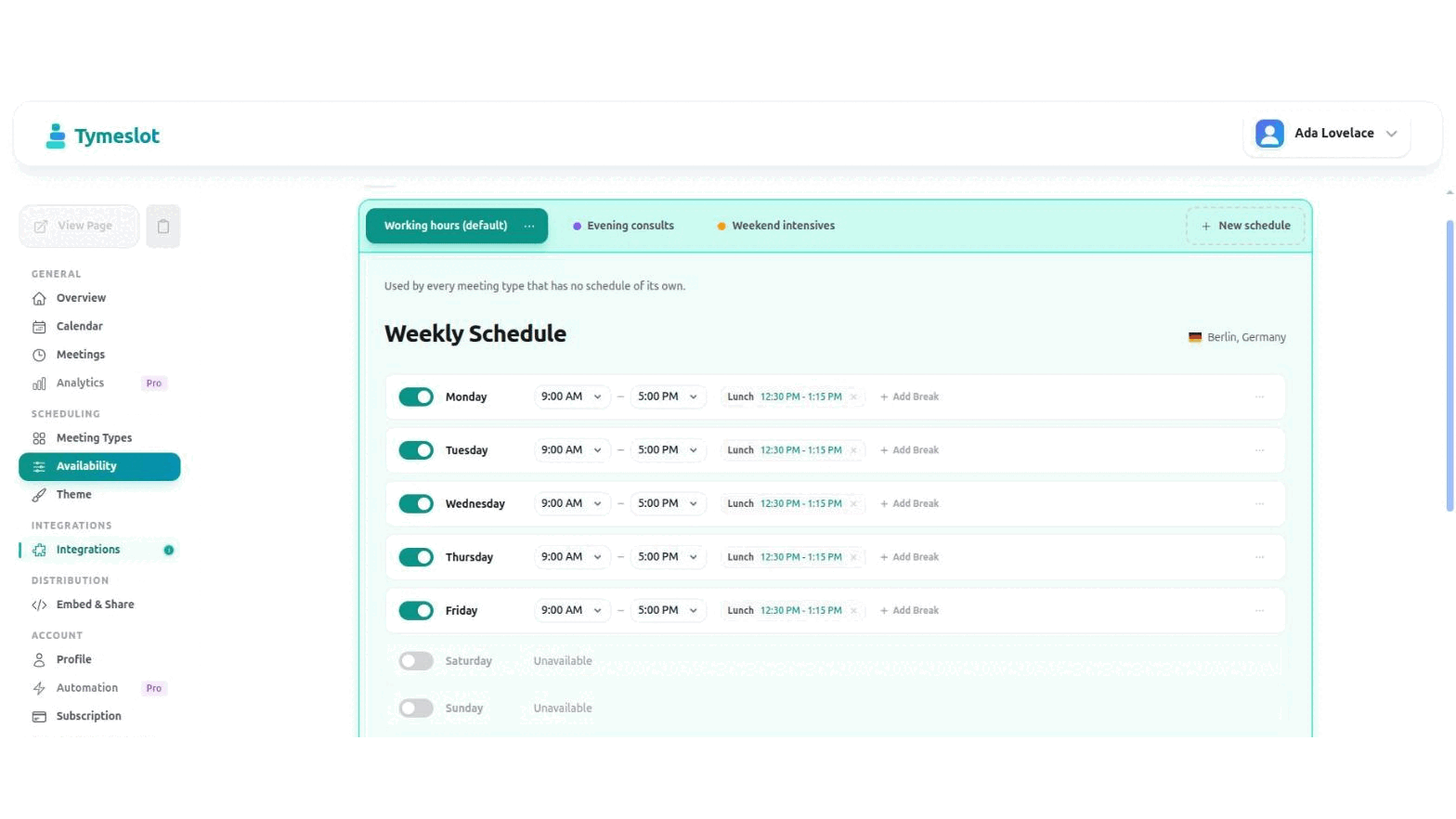
Every account starts with one schedule, marked default. It is the fallback: any meeting type that has not been given a schedule of its own is bookable against it.
Go to Dashboard → Availability and select New schedule. Name it after what it is for — "Evening consults" tells you more in six months than "Schedule 2" will.
Open Dashboard → Meeting Types, edit a type, and find Schedule under Booking Rules. Pick a schedule, or leave it on Default to keep following whichever schedule is the default at the time.
The choice saves as you make it — there is no separate save step. Whatever you pick decides which hours that type's booking page offers, and which rules apply when someone confirms.
Working hours
Mon–Fri, 9:00–17:00, lunch blocked. The default, so anything new follows it automatically.
Evening consults
Mon and Wed, 18:00–20:30, 30-minute buffer, 30-day window. Used by one paid consultation type.
Weekend intensives
Saturdays only, 10:00–14:00, bookable three months ahead so people can plan around it.
Hold a booking until you have agreed to it, and tell the person who booked exactly where they stand.
Propose several candidate times, let every guest mark each one Yes, If need be or No, then confirm the winner and Tymeslot books it as a real meeting with everyone invited.
Ask bookers anything you need before the meeting — short text, choices, yes/no, dates, acknowledgements, and more. Answers ride along to confirmations, emails, and your calendar.