The Tymeslot WordPress plugin

24 de junho de 2026 · 3 min de leitura · Atualizado em 13 de outubro de 2026
WordPress runs a large share of the web, and until now putting a Tymeslot booker on a WordPress site meant the same chore as anywhere else: open your dashboard, copy a snippet of HTML, find the right "Custom HTML" block, paste, and hope a caching plugin or a tidy-minded theme didn't quietly strip the script. It worked, but it asked you to think about embed code on a platform whose whole promise is that you shouldn't have to.
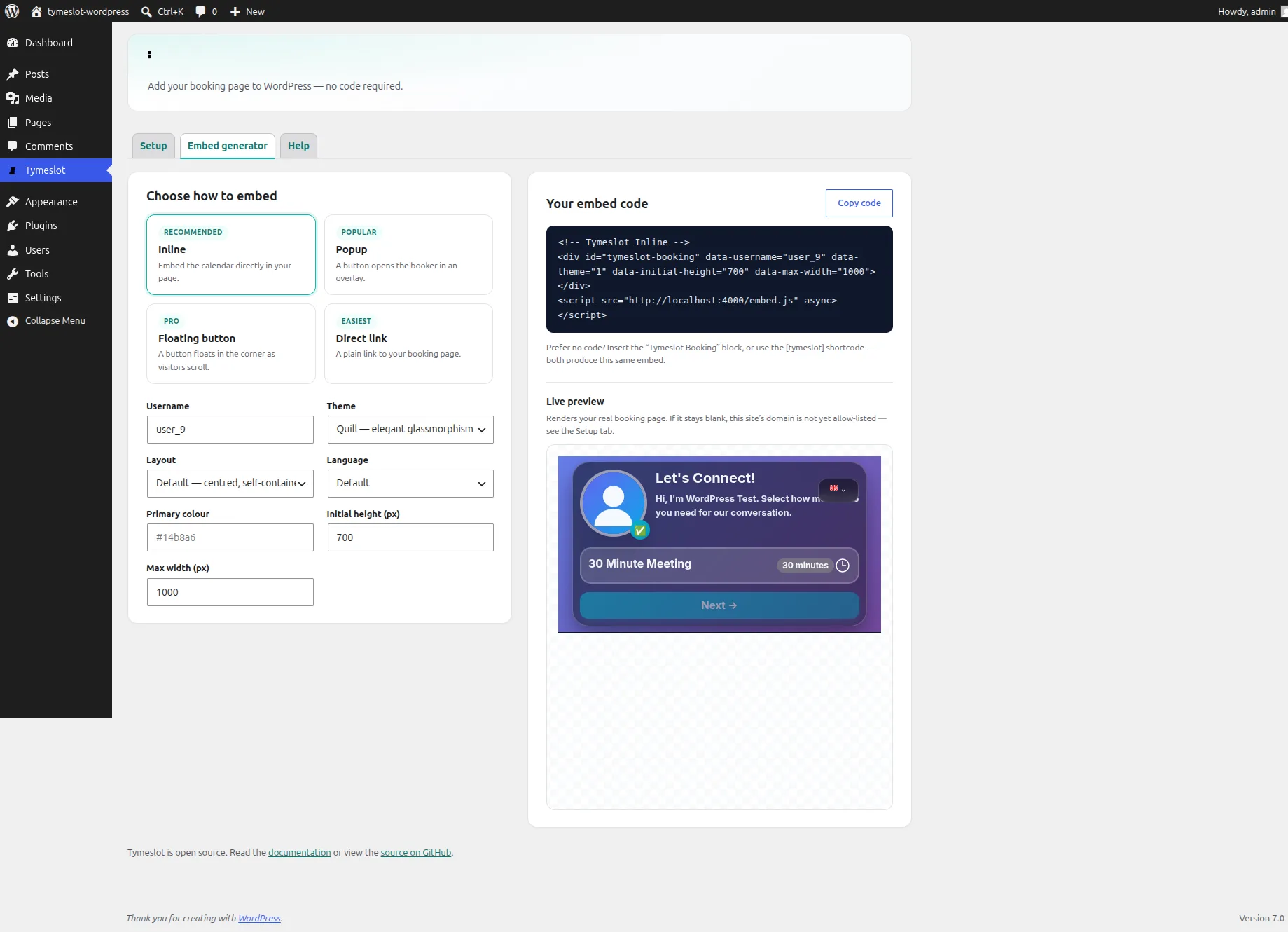
So there is now an official Tymeslot plugin for WordPress. It wraps the same embed engine your dashboard already uses and hands it to you the way WordPress expects, as a block, a shortcode and a settings screen.
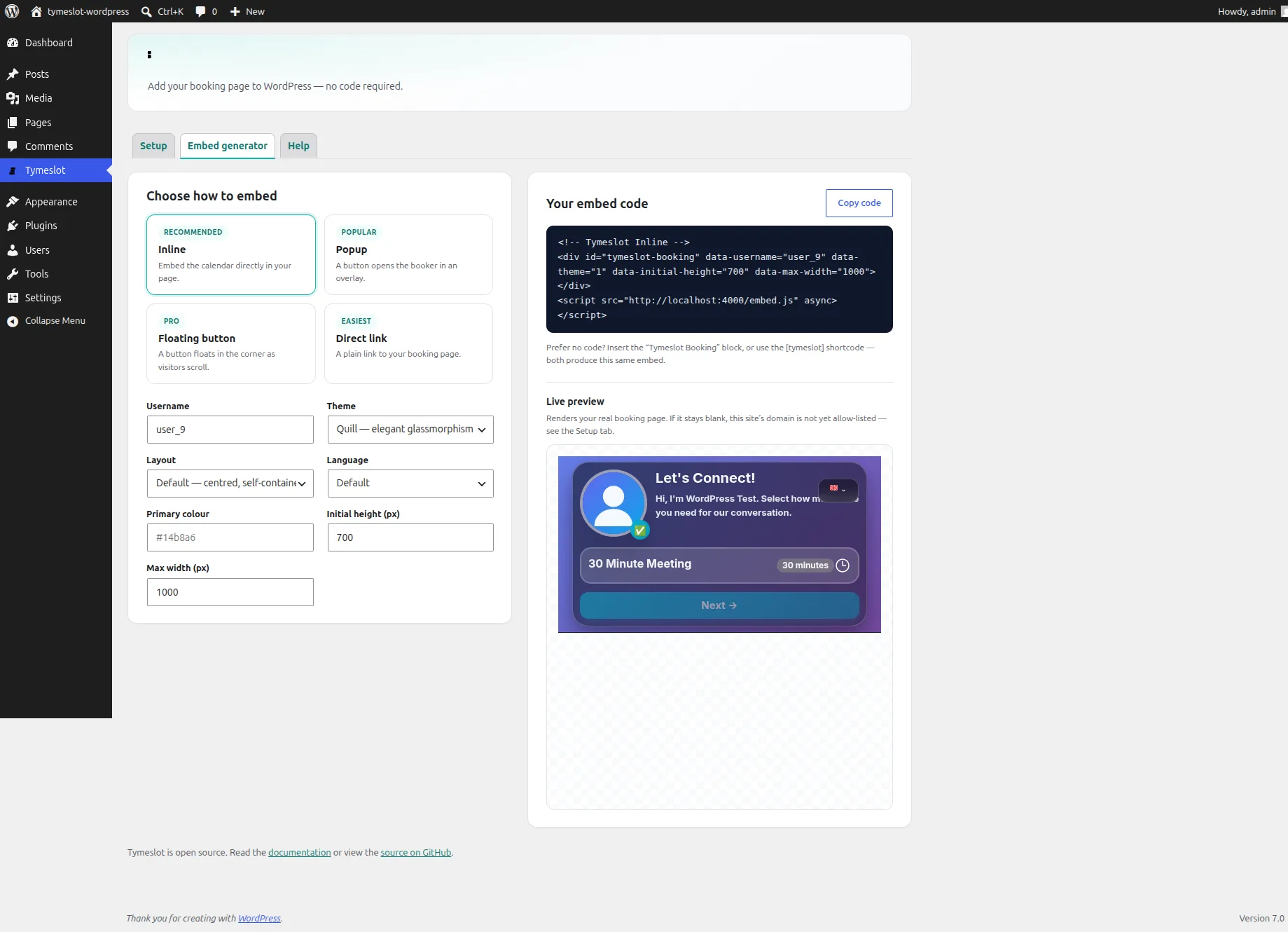
The embed generator, inside WordPress: pick a mode, set the look, and watch your real booking page render in the preview.
Three ways to add it
Insert the Tymeslot Booking block and configure it in the sidebar as inline, popup, floating button or a plain link. The editor shows a placeholder, and the real booker renders on the published page. If you prefer typing to blocks, the [tymeslot] shortcode works in any post, page or widget. And if you build pages in Elementor, Divi or a custom theme, the embed generator builds a ready-made snippet with a live preview and a copy button.
All three run through one engine, so whichever you use, the output is identical to what your Tymeslot dashboard produces, and stays that way when the dashboard's snippet changes.
Cloud or self-hosted, with a switch
You can self-host Tymeslot or use the managed cloud, and the plugin supports both. The Setup tab offers two options: Cloud, the default, with nothing to configure, or Self-hosted, which adds a single field for your instance URL. Point it at your server, or switch back to the cloud, and every block and shortcode on the site follows.
It tells you when embedding is blocked
Tymeslot only lets your booking page be framed on domains you approve. That is a deliberate safeguard, and also the most common reason a freshly pasted embed shows up blank. The Setup tab runs a live check that loads your booking page from inside WordPress and tells you whether this site is on your allow-list yet. On the front end, if the site isn't approved, visitors see a short "booking is currently unavailable" message instead of the Tymeslot homepage squeezed into your page, which is what a bare iframe would show.
Your brand, without re-entering it
Set theme, layout and language once as defaults, and override them per embed. You don't set the accent colour in WordPress at all: every embed uses the palette you already chose in your Tymeslot account. The plugin stores only its own settings; your booking data stays in your Tymeslot account.
Getting it
The plugin is open source and lives at github.com/Tymeslot/tymeslot-wordpress. Download the latest release, upload it under Plugins → Add New Plugin → Upload Plugin, enter your Tymeslot username, and the booker is ready to place. The full walkthrough is in the WordPress plugin guide.
It's heading to the WordPress.org plugin directory next. If you use Tymeslot on a WordPress site, give it a try and tell us what you'd like it to do.
Update (October 2026): since July 2026 the plugin has been listed in the WordPress.org plugin directory. Install it from Plugins → Add New Plugin by searching for "Tymeslot".