Booking Analytics
See where your bookings come from. Tymeslot tracks visits and conversions on your booking pages with UTM parameters — no cookies, no IPs stored, no third-party scripts.

Updated June 24, 2026
Attribution without the privacy tax
Tymeslot's built-in analytics tell you which campaigns, channels, and partners actually drive bookings — not just clicks. Visits, unique visitors, bookings, and a per-source conversion table are recorded automatically on every booking page you publish, and surfaced under Dashboard → Analytics.
-
No cookies set on the visitor's device — no consent banner required.
-
No IP addresses stored — visitors are de-duplicated with a daily-rotated hash.
-
No third-party scripts, no data leaving Tymeslot.
🏷️ 1 Tag your booking links
Append
utm_*
parameters to any booking link you share — in newsletters, ads, social posts, partner pages, or email signatures. Tymeslot carries UTM and referrer information through the booking flow as long as the visitor follows links from the tagged URL.
The five standard UTM parameters are supported:
-
utm_source — where the traffic came from (e.g.
newsletter,linkedin,partner-acme). -
utm_medium — the channel type (e.g.
email,social,cpc). -
utm_campaign — the campaign name (e.g.
spring-launch). -
utm_content — used to differentiate creatives or placements within a campaign.
-
utm_term — typically the paid-search keyword.
A tagged booking link looks like this:
https://your-tymeslot.example/your-handle/intro-call?utm_source=newsletter&utm_medium=email&utm_campaign=spring-launchAny custom parameter is captured too
📊 2 What gets tracked on each visit
When a visitor lands on one of your booking pages, Tymeslot records a single page-view row with just enough context to attribute the visit — and nothing more.
-
UTM parameters — the five standard UTM fields from the URL, if present.
-
Custom tracking parameters — any non-UTM query parameters, kept as-is in a small JSON bag.
-
Referrer host — just the hostname (e.g.
google.com), never the full URL. -
Browser family — a coarse bucket like
chrome,safari, orfirefox. No version, OS, or device fingerprint. -
Visitor session hash — a one-way hash of the IP, user-agent, and a daily-rotated salt. Used only to deduplicate visits within a 24-hour window. The hash cannot be reversed and rotates every day.
-
Timestamp — when the visit happened.
🛡️ 3 What is deliberately not tracked
The opposite list matters as much as the one above. Tymeslot's analytics are designed so you can ship them without a privacy review.
-
No IP addresses — raw IPs are used briefly to compute the visitor session hash, then discarded. They are never written to the database.
-
No cookies — Tymeslot does not set any analytics cookies on the visitor's browser. No localStorage, no fingerprinting scripts.
-
No cross-site tracking — visits are only recorded on your own booking pages, and the data never leaves your Tymeslot instance.
-
No bot traffic — common crawler user-agents are filtered out before a row is written, so your conversion numbers reflect real humans.
No consent banner needed
📈 4 View the dashboard
Sign in to Tymeslot and open Dashboard → Analytics from the left sidebar. The page shows everything for the signed-in user across a configurable date range — 7, 30, or 90 days.
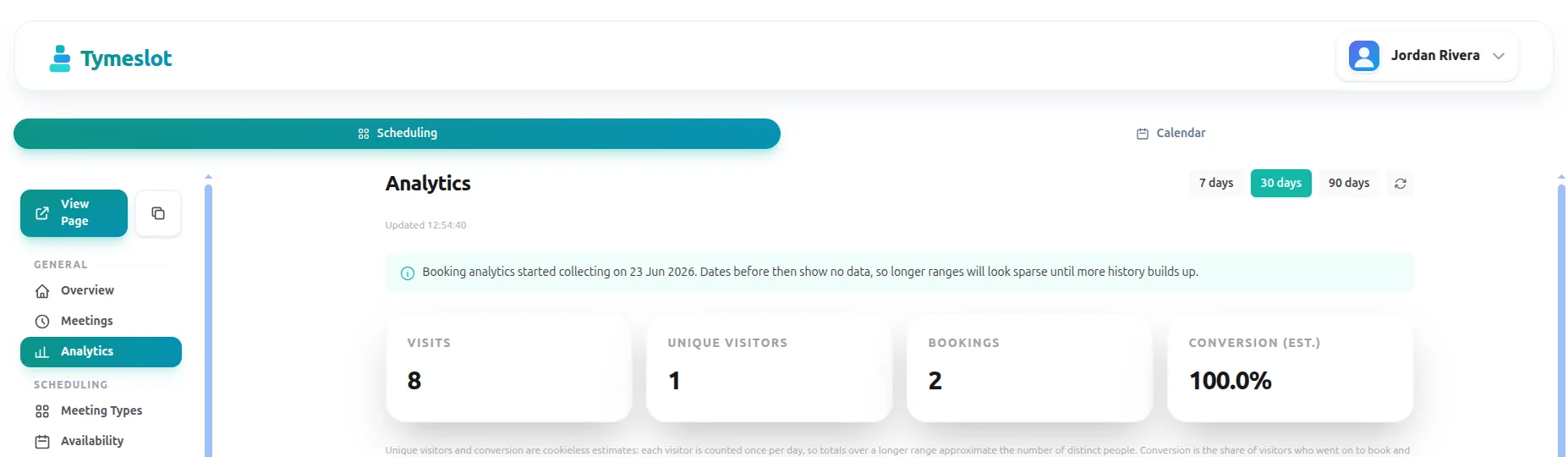
-
Summary cards — total visits, unique visitors, bookings, and the resulting conversion rate for the selected window.
-
Visits over time — a day-by-day chart so you can spot the impact of a campaign launch or a quiet weekend at a glance.
-
Sources table — every
utm_sourcethat drove traffic in the window, with visits, bookings, and conversion rate side by side. Untagged direct traffic shows up as its own row.
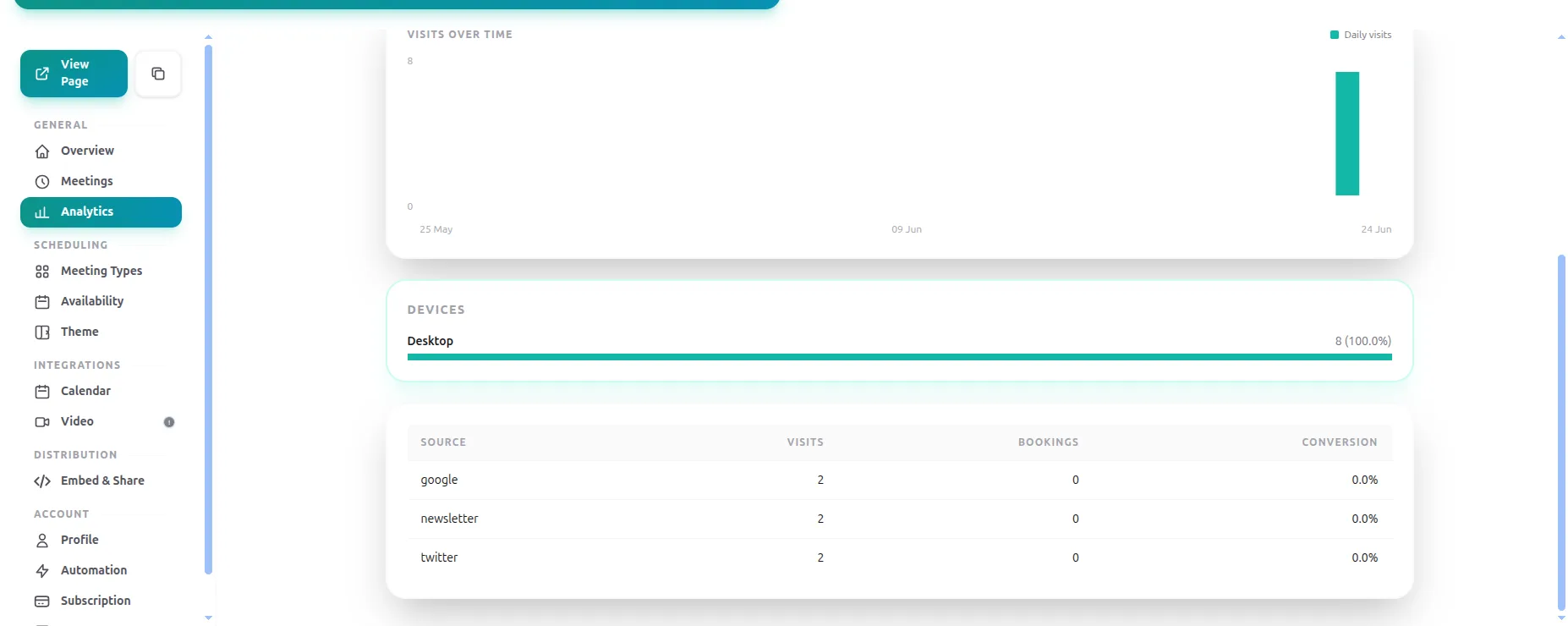
utm_source.
UTM parameters travel with the booking flow
❓ Frequently Asked Questions
Do I need to enable anything to start collecting analytics?
Will this slow my booking pages down?
Can I see analytics for a specific meeting type only?
What does the conversion rate represent?
Can I export the data?
analytics_events
table and the
utm_*
columns on
meetings
are queryable directly from your own Postgres.
I self-host — how do I turn booking analytics on?
config :tymeslot, :booking_analytics_enabled, true. Once enabled, the
ANALYTICS_SALT_SECRET
environment variable becomes required
and the app will refuse to boot without it — generate it once with
openssl rand -base64 48
and keep the value constant across deployments (changing it
double-counts visitors). See the
Environment Variable Reference
for details.