Booking Analytics
See where your bookings come from. Tymeslot tracks visits and conversions on your booking pages with UTM parameters. It sets no cookies, stores no IP addresses and loads no third-party scripts.

Zaktualizowano: 13 października 2026
Attribution without the privacy tax
Tymeslot's built-in analytics show which campaigns, channels and partners lead to bookings, not only to clicks. Visits, unique visitors, bookings and a per-source conversion table are recorded on every booking page you publish, and shown under Dashboard → Analytics.
-
No cookies on the visitor's device, so no consent banner is needed.
-
No IP addresses stored: unique visitors are counted with a hash that changes every day.
-
No third-party scripts; the data stays in Tymeslot.
🏷️ 1 Tag your booking links
Append
utm_*
parameters to any booking link you share: in newsletters, ads, social posts, partner pages or email signatures. Tymeslot carries UTM and referrer information through the booking flow as long as the visitor follows links from the tagged URL.
The five standard UTM parameters are supported:
-
utm_source: where the traffic came from (e.g.
newsletter,linkedin,partner-acme). -
utm_medium: the channel type (e.g.
email,social,cpc). -
utm_campaign: the campaign name (e.g.
spring-launch). -
utm_content: used to differentiate creatives or placements within a campaign.
-
utm_term: typically the paid-search keyword.
A tagged booking link looks like this:
https://your-tymeslot.example/your-handle/intro-call?utm_source=newsletter&utm_medium=email&utm_campaign=spring-launchAny custom parameter is captured too
📊 2 What gets tracked on each visit
When a visitor lands on one of your booking pages, Tymeslot records one page view with just enough context to attribute the visit, and nothing more.
-
UTM parameters: the five standard UTM fields from the URL, if present.
-
Custom tracking parameters: any non-UTM query parameters, kept as-is in a small JSON bag.
-
Referrer host: just the hostname (e.g.
google.com), never the full URL. -
Browser family and device type: a coarse bucket like
chrome,safari, orfirefox, plus whether the device is a desktop, mobile or tablet. No browser version, operating system or device fingerprint. -
Visitor session hash: a one-way hash of the IP address, the user agent and a random salt for the day. It is used only to count unique visitors within a day. Each day's salt is deleted once the day is over, so the hash cannot be traced back to the IP address.
-
Timestamp: when the visit happened.
🛡️ 3 What is deliberately not tracked
This list matters as much as the one above. Tymeslot's analytics are built to collect as little as possible, so there is little for a privacy review to find.
-
No IP addresses: the IP address is used for a moment to compute the visitor hash, then discarded. It is never written to the database.
-
No cookies: Tymeslot sets no analytics cookies in the visitor's browser, and uses neither localStorage nor fingerprinting scripts.
-
No cross-site tracking: visits are recorded only on your own booking pages, and the data stays in your Tymeslot instance.
-
No bot traffic: common crawler user-agents are filtered out before a row is written, so your conversion numbers reflect real humans.
No consent banner needed
📈 4 View the dashboard
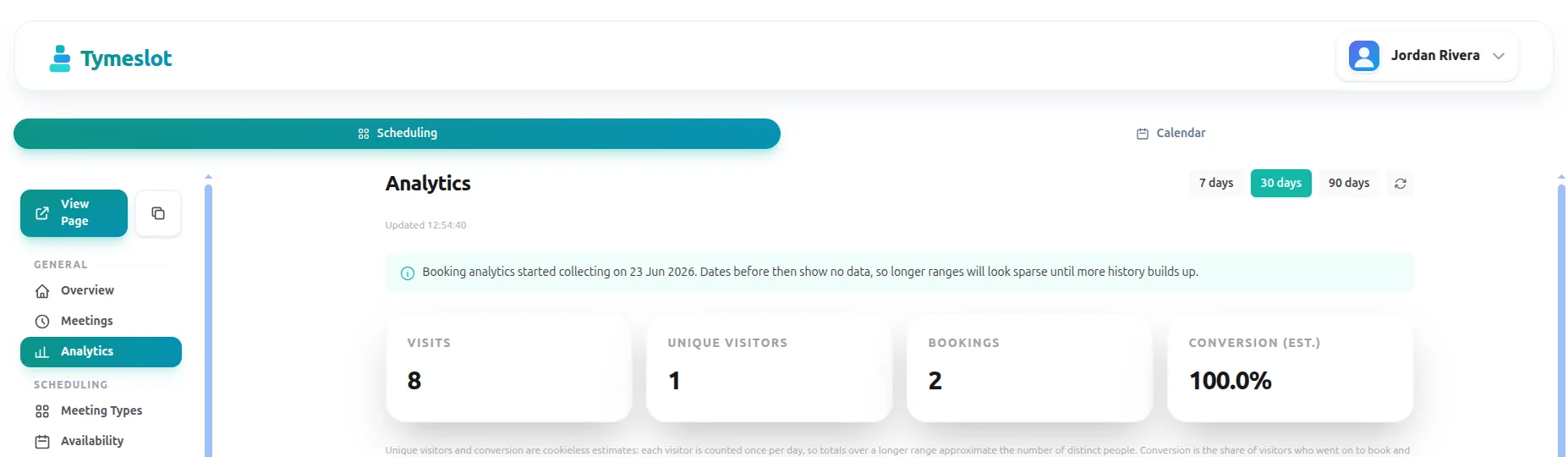
Sign in to Tymeslot and open Dashboard → Analytics from the left sidebar. The page covers all your booking pages over the last 7, 30 or 90 days.
-
Summary cards: visits, unique visitors, bookings and the estimated conversion rate for the selected period.
-
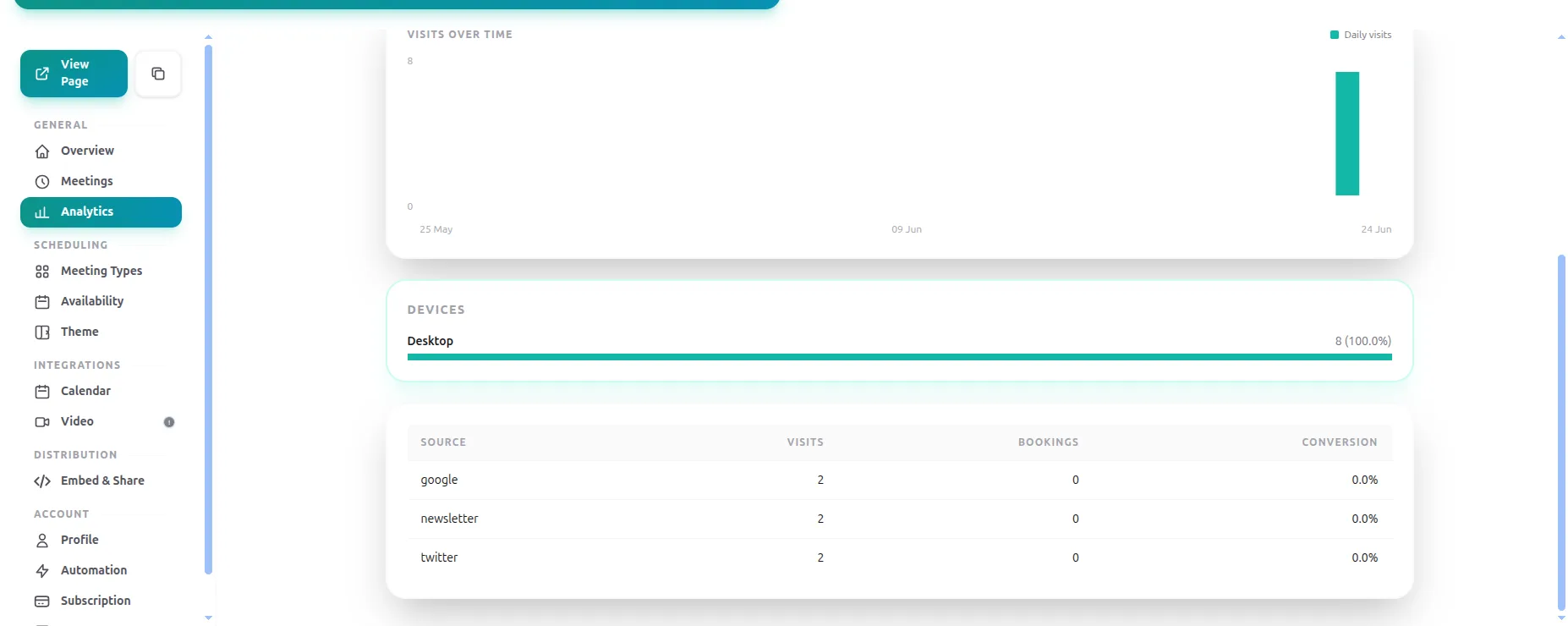
Visits over time: a day-by-day chart that shows the effect of a campaign launch or a quiet weekend at a glance.
-
Traffic sources: every
utm_sourcethat sent traffic in the period, with visits, bookings and conversion side by side. Untagged traffic appears as its own row, (direct / unknown). A separate Devices breakdown splits visits into desktop, mobile and tablet.
utm_source.
UTM parameters travel with the booking flow
❓ Frequently Asked Questions
Do I need to enable anything to start collecting analytics?
Will this slow my booking pages down?
Can I see analytics for a specific meeting type only?
What does the conversion rate represent?
Can I export the data?
analytics_events
table and the
utm_*
columns on
meetings
are queryable directly from your own Postgres.
I self-host. How do I turn booking analytics on?
config :tymeslot, :booking_analytics_enabled, true
sets the same default. Review your privacy policy before you enable it. No secret is needed: each day's visitor-hash salt is generated
at random and deleted once the day is over. Earlier versions required ANALYTICS_SALT_SECRET; it is no longer read and can be removed.