CalDAV Integration
Sync Tymeslot with CalDAV calendars — Nextcloud, Radicale, Baikal, Zimbra, mailbox.org, iCloud, and Fastmail. Real-time conflict detection with no Google or Microsoft dependency.
Connect Tymeslot to a Baikal CalDAV server. Covers the /dav.php URL format, account password authentication, and how to handle common self-hosted setups.

Updated August 19, 2026
Baikal is a lightweight, open-source CalDAV and CardDAV server written in PHP. It is popular among self-hosters who want a web-managed calendar server with an admin interface, without the complexity of a full groupware suite like Nextcloud or Zimbra.
Baikal exposes its CalDAV interface through a
/dav.php
endpoint. Calendars are organised under a predictable URL structure once you know your username and the calendar's URI.
Baikal calendar URLs follow this pattern:
https://baikal.example.com/dav.php/calendars/USERNAME/CALENDAR-URI/default
or a UUID if your CalDAV client created it.
If Baikal is installed under a sub-path (e.g. served at example.com/baikal/), include that prefix before /dav.php:
https://example.com/baikal/dav.php/calendars/USERNAME/CALENDAR-URI/Baikal uses Basic Authentication. Tymeslot connects using your Baikal username and password — the same credentials you use to log in to Baikal's admin interface or connect a CalDAV client.
Baikal does not support app-specific passwords. Use the account password directly.
/dav.php/calendars/USERNAME/CALENDAR-URI/), your Baikal Username, and your Password.
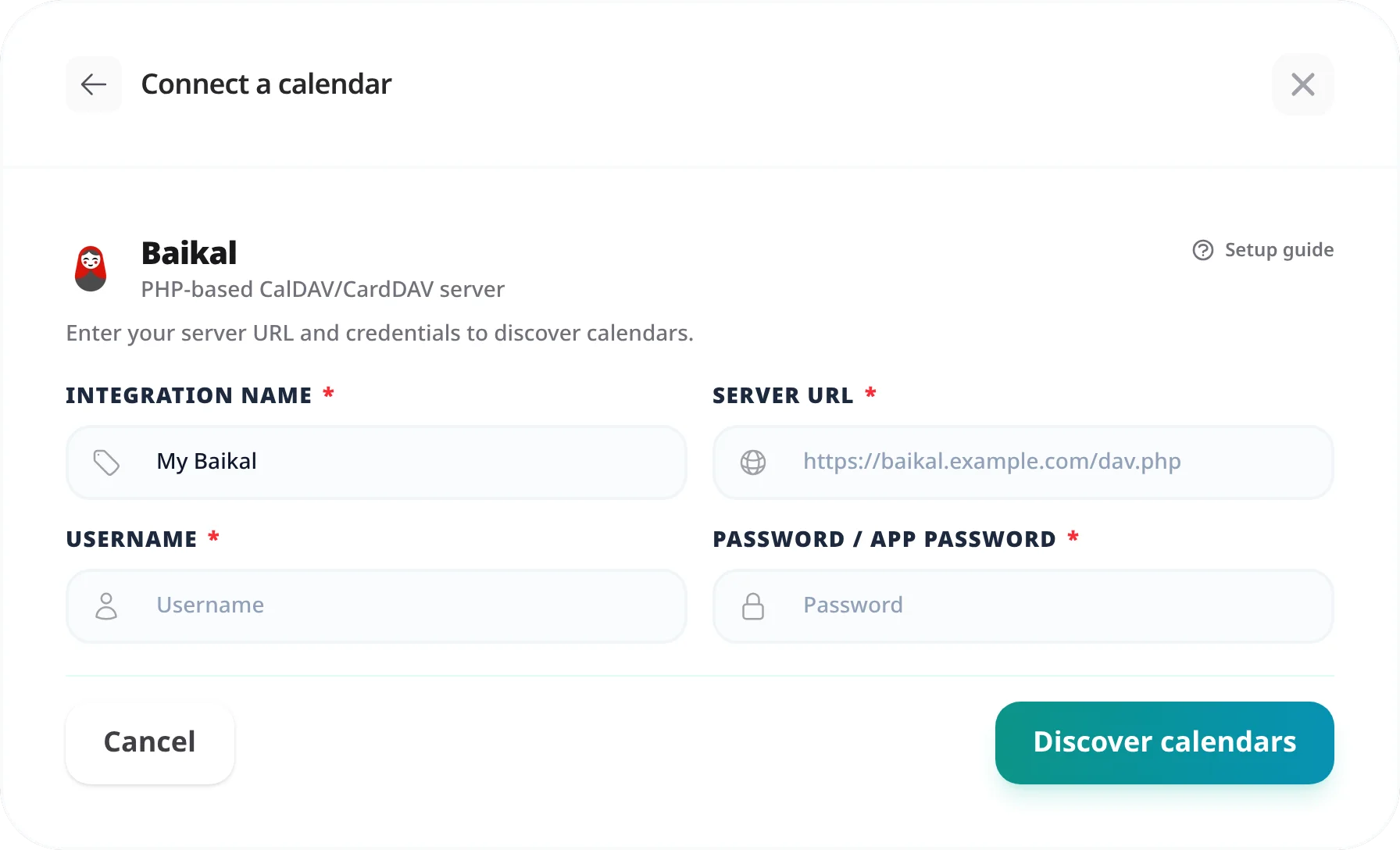
"404 Not Found"
The most common cause is a missing trailing slash, a wrong calendar URI, or omitting
/dav.php
from the URL. Check the exact URI in Baikal's admin panel under Calendars.
"Authentication failed" or 401 Unauthorized
Double-check the username and password match your Baikal account. Passwords are case-sensitive. If you recently changed your password in Baikal's admin, update the integration credentials.
"Connection refused" or unable to reach server
Baikal must be reachable from wherever Tymeslot runs. Confirm HTTPS is configured and port 443 is open.
Self-hosting Tymeslot on that same network is the exception.
A host that resolves to a private address is refused by default, as protection against
server-side request forgery. Set
ALLOW_PRIVATE_IPS_FOR_CALENDAR=true
on your Tymeslot deployment to permit a CalDAV server on an internal network. This applies to
self-hosted installs only — on the managed service at tymeslot.app our servers have no route
to your network, so a private address cannot work there whatever you configure.
Baikal is served under a sub-path
If your web server proxies Baikal under a prefix such as /baikal/, include that prefix before /dav.php:
https://example.com/baikal/dav.php/calendars/USERNAME/CALENDAR-URI/
The calendar URI is the internal identifier Baikal assigns to a calendar — visible in the URI column of Baikal's admin panel under Calendars. When a CalDAV client creates a calendar automatically, it may assign a UUID as the URI. Connect a CalDAV client and inspect the calendar URL to find the exact value.
Tymeslot requires the URL of a specific calendar collection. Pointing to
/dav.php/calendars/USERNAME/
will succeed the connection test but events will not sync correctly. Always use the full path including the calendar URI.
Not directly. Tymeslot requires HTTPS and a publicly reachable server. For a local Baikal instance, expose it via a reverse proxy with a valid TLS certificate and a public DNS record. Caddy or Nginx with Let's Encrypt can handle this automatically if your server is publicly reachable.
With a standard Docker setup (e.g. ckulka/baikal), Baikal is available at
https://your-domain.com/dav.php
when served at the root. The full calendar URL would be https://your-domain.com/dav.php/calendars/USERNAME/CALENDAR-URI/.
Sync Tymeslot with CalDAV calendars — Nextcloud, Radicale, Baikal, Zimbra, mailbox.org, iCloud, and Fastmail. Real-time conflict detection with no Google or Microsoft dependency.
Connect Tymeslot to Google Calendar. Real-time conflict detection respects Busy, Tentative, and Out of Office events — no double-bookings, automatic event creation.
Sync Tymeslot with Outlook Calendar via Microsoft Graph. Real-time conflict detection and automatic event creation — works with Outlook.com and Microsoft 365.