

Self-hosting guide

Best self-hosted scheduling software (2027)

Seven open-source tools you can run on your own server, side by side.

Luka Breitig, Software Engineer & AI Developer
Luka Breitig

Updated 2 November 2026

Before you choose

A booking tool is not a calendar server

The booking tool publishes your free time. A calendar behind it stores the events and says when you're busy. To keep both on your own hardware, pair the tool with a CalDAV server, and make sure it syncs both ways.

Your guests

Pick a time on your page

Booking tool

Tymeslot, Cal.diy, Easy!Appointments…

Calendar server

Nextcloud, Radicale, Baïkal, or Google and Outlook

How to connect Tymeslot to Nextcloud

Side by side

Self-hosted scheduling tools compared

Facts checked on 2 November 2026 against each project's own site, repository and documentation.

  • Yes
  • Partly
  • No
  • Not documented
Tool Booking page Google & Outlook CalDAV Video rooms Payments Embed Free for many users Team scheduling Group polls
Tymeslot
Booking page: Yes
Google & Outlook: Yes
CalDAV: Yes
Video rooms: Yes
Payments: Yes Stripe
Embed: Yes
Free for many users: Yes
Team scheduling: No
Group polls: Yes
Cal.diy
Booking page: Yes
Google & Outlook: Yes
CalDAV: Yes
Video rooms: Yes
Payments: Yes
Embed: Yes
Free for many users: Partly Personal use only
Team scheduling: No Removed
Group polls: No
Easy!Appointments
Booking page: Yes
Google & Outlook: Partly Google only
CalDAV: Yes
Video rooms: Partly Meet links
Payments: No
Embed: Partly CMS plugins
Free for many users: Yes
Team scheduling: Yes Providers
Group polls: No
Rallly
Booking page: No
Google & Outlook: Not documented
CalDAV: Not documented
Video rooms: Yes
Payments: No
Embed: Not documented
Free for many users: Partly Paid licence
Team scheduling: No
Group polls: Yes
Nextcloud Calendar
Booking page: Yes
Google & Outlook: Partly ICS only
CalDAV: Yes Built in
Video rooms: Partly Talk only
Payments: No
Embed: Not documented
Free for many users: Yes
Team scheduling: No
Group polls: No
Thunderbird Appointment
Booking page: Yes
Google & Outlook: Partly Google only
CalDAV: Yes
Video rooms: Partly Zoom only
Payments: No
Embed: Not documented
Free for many users: Yes
Team scheduling: No
Group polls: No
LibreBooking
Booking page: Partly Resources
Google & Outlook: Partly ICS export
CalDAV: No
Video rooms: No
Payments: Partly Credits
Embed: Yes
Free for many users: Yes
Team scheduling: Partly Roles and quotas
Group polls: No
Tool by tool

Where each one shines, and where it falls short

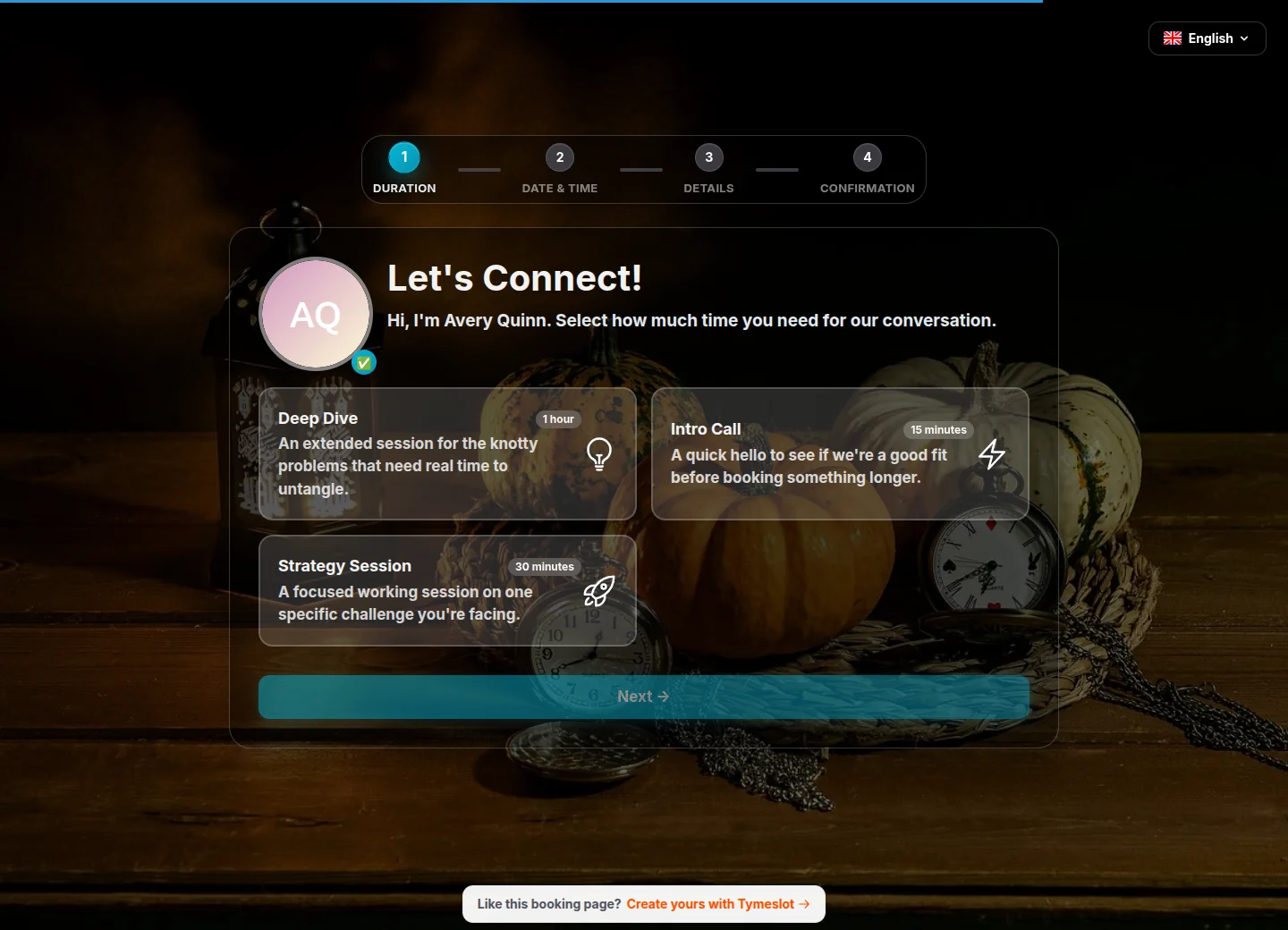
The Tymeslot booking page

Tymeslot

Individuals and small businesses who want polished booking pages, two-way calendar sync and video rooms on their own server.

  • AGPL-3.0
  • Elixir
  • Docker
  • Cloudron
  • Railway
  • The complete product in every install: no licence key, no paid tier, no features held back.
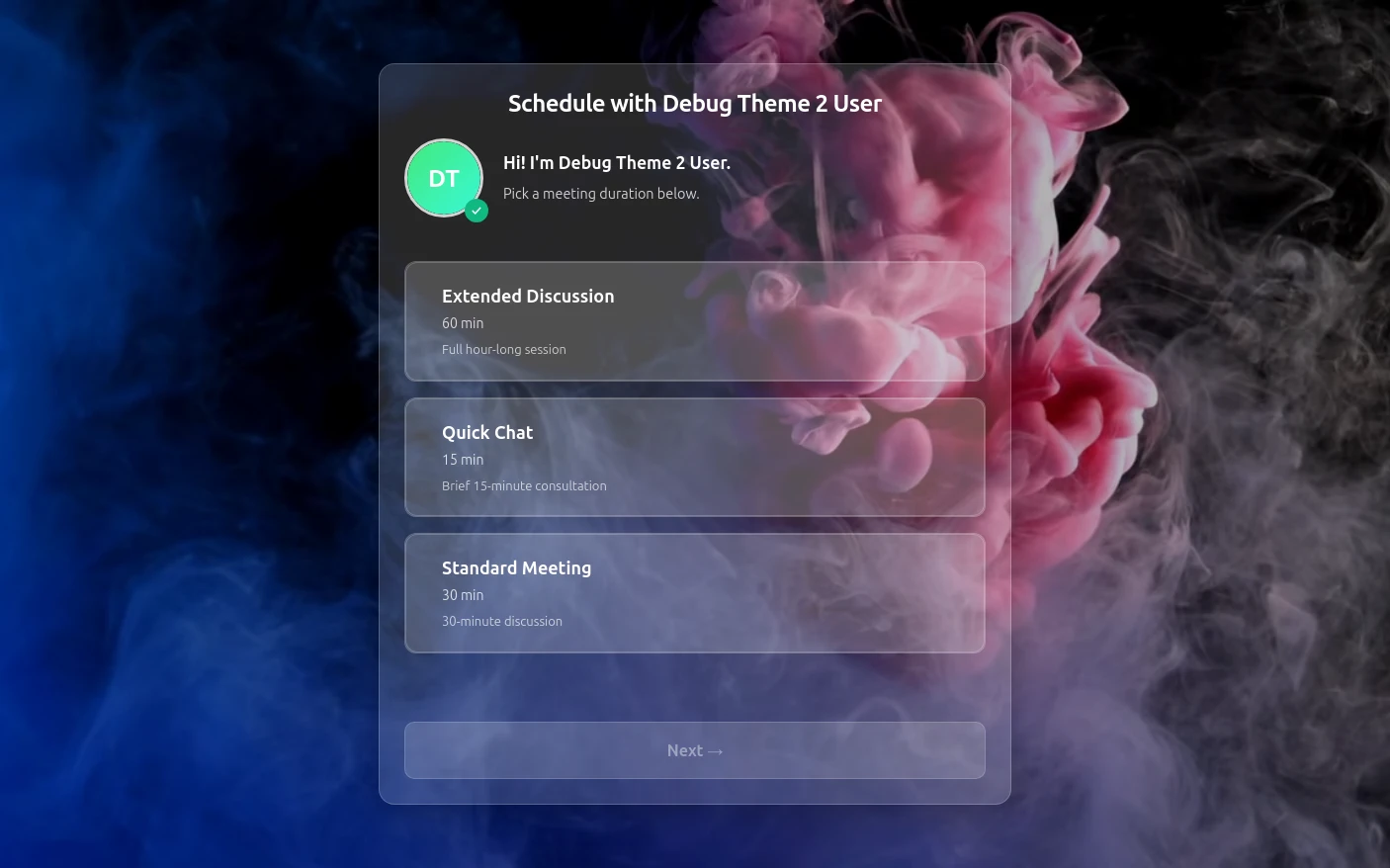
  • Booking pages, the dashboard and every email in nine languages, with four booking page themes.
  • No team scheduling yet: no round-robin or collective events.
  • A younger project with a smaller community than Cal.com's.
How self-hosting Tymeslot works

Sources, checked on 2 November 2026: Tymeslot on GitHub · Tymeslot in the Cloudron App Store
Cal.diy

Developers who want the Cal.com codebase for personal use and are comfortable running a Next.js monorepo.

  • MIT
  • Next.js
  • Docker Compose
Read the full comparison with Tymeslot
  • The largest integration catalogue of any open-source scheduler.
  • A very large community: the repository has close to 50,000 GitHub stars.
  • Cal.com itself went closed source in April 2026; Cal.diy is the community edition it left behind.
  • No tagged release since the fork: the last versioned release is Cal.com v6.2.0 from March 2026.

Sources, checked on 2 November 2026: Cal.com is going closed source · The Cal.diy repository · Cal.diy app store

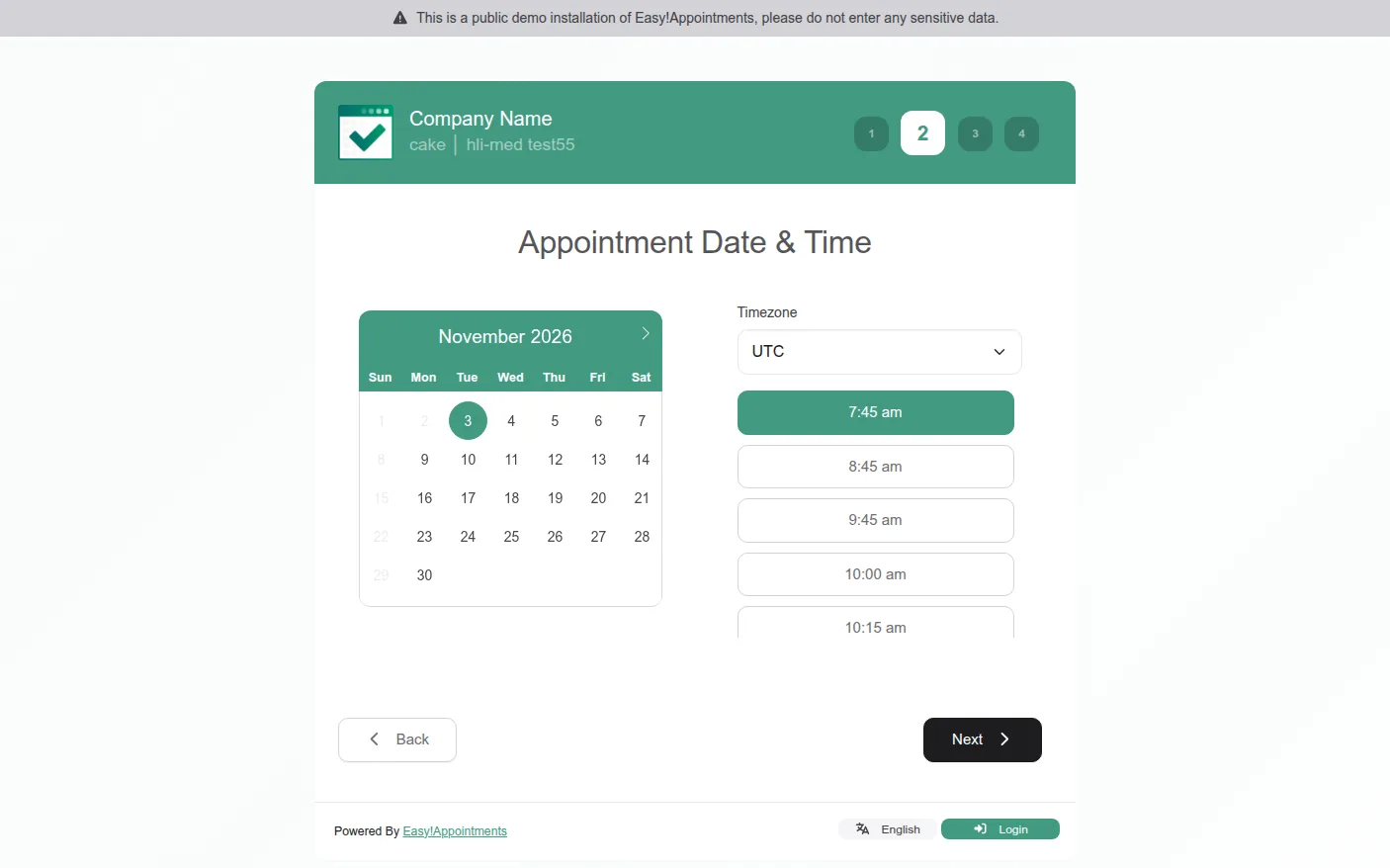
The Easy!Appointments booking page
From the project's public demo, captured on 2 November 2026.

Easy!Appointments

Salons, clinics and practices that book customers into services with several staff members.

  • GPL-3.0
  • PHP
  • Docker
  • Cloudron
  • YunoHost
  • Any PHP host
  • Built around services and staff, which suits customer-facing businesses.
  • Runs on inexpensive shared PHP hosting.
  • No Outlook sync and no built-in online payments.
  • Video is limited to Google Meet links.

Sources, checked on 2 November 2026: Easy!Appointments website · Easy!Appointments 1.6.1 release notes

Rallly

Finding a date that suits a whole group, Doodle-style, rather than publishing a booking page.

  • AGPL-3.0
  • Next.js
  • Docker Compose
  • Cloudron
  • YunoHost
  • The most polished open-source group poll.
  • Participants vote without creating an account.
  • Not a booking page: guests can't pick a slot from your availability.
  • Self-hosting for more than one user needs a paid licence.

Sources, checked on 2 November 2026: Rallly self-hosting licences · Rallly video conferencing setup

Nextcloud Calendar

People who already run Nextcloud and need a simple appointment page.

  • AGPL-3.0
  • PHP
  • Inside Nextcloud
  • Cloudron
  • YunoHost
  • Nothing extra to run if you already have Nextcloud.
  • Buffers, minimum notice and a daily booking limit.
  • Guests have to contact the organiser to cancel.
  • No payments, and Google or Outlook calendars only through ICS subscriptions.

Sources, checked on 2 November 2026: Nextcloud Calendar user manual · Nextcloud Calendar on GitHub

Thunderbird Appointment

Individuals who want a minimal personal booking page from the team behind Thunderbird.

  • MPL-2.0
  • Python
  • Docker Compose
  • Backed by MZLA, the company behind Thunderbird, and the code behind its hosted service.
  • Active development with regular releases.
  • Thin documentation for running it yourself.
  • No Outlook sync, and Zoom is the only video integration.

Sources, checked on 2 November 2026: Thunderbird Appointment on GitHub

LibreBooking

Booking shared resources such as rooms, desks and equipment, rather than people's time.

  • GPL-3.0
  • PHP
  • Docker
  • YunoHost
  • Built for resources, with quotas, approval rules and waiting lists.
  • A long-lived codebase: it continues Booked Scheduler as open source.
  • Run 7.1.0 or later: earlier versions let an attacker sign in as another user, and security fixes are not backported.
  • No calendar sync and no video integration.

Sources, checked on 2 November 2026: LibreBooking on GitHub · LibreBooking administration guide

The fine print

What self-hosting really takes

The licence is free; running it is not quite. Whichever tool you pick, budget for these four.

A server

A small VPS or a home server with a domain and HTTPS. A booking page has to be reachable from the internet, so a laptop that sleeps won't do.

Updates

Anything facing the internet needs security releases applied promptly. Cloudron and YunoHost can apply them for you.

Email delivery

Confirmations and reminders need a proper SMTP service, or they land in spam. Setting up email for Tymeslot

Backups

Your bookings live in your database. Back it up, and try a restore before you need one.

If that is more than you want to look after, the managed Tymeslot at tymeslot.app runs the same open-source code, with a free plan. See the plans

FAQ

Common questions about self-hosted scheduling

Is there a free, self-hosted alternative to Calendly?

Yes. Tymeslot (AGPLv3), Cal.diy (MIT, for personal use), Easy!Appointments (GPL-3.0) and Thunderbird Appointment (MPL-2.0) all give you a public booking page on your own server with no licence fee. They differ in calendar sync, video and how much setup they need; the table above compares them.

Is Cal.com still open source?

Not since April 2026. Cal.com moved its production code to a private repository, and the public repository became Cal.diy: an MIT-licensed community edition without teams, workflows or SSO, which the vendor recommends for personal, non-production use.

Can I use a self-hosted scheduler with Nextcloud?

Yes, in two ways. Nextcloud Calendar has a basic appointments feature built in. Or you can connect a dedicated booking tool to Nextcloud over CalDAV: Tymeslot reads your busy times from Nextcloud, writes new bookings back to it, and can create a Nextcloud Talk room for each meeting.

Which self-hosted scheduling tools work with Jitsi or MiroTalk?

Tymeslot creates rooms on both Jitsi and MiroTalk, as well as Google Meet, Teams, Zoom, kMeet and Nextcloud Talk. Cal.diy's app store includes Jitsi. None of the other tools in this guide integrates with either.

What do I need to run a self-hosted scheduling tool?

A small server or VPS with a domain and HTTPS, an SMTP service so confirmation emails reach inboxes, and regular database backups. Platforms such as Cloudron and YunoHost take care of updates, certificates and backups for you.

How often is this guide updated?

We recheck every fact against each project's own site, repository and documentation at least once a year, and whenever one of these projects ships a major change. The date at the top shows the last update, and the changelog at the bottom lists what changed.

How we compared, and what changed

Tymeslot is our product, so read this guide with that in mind. We included every actively maintained, open-source tool that lets people book time or agree on a date, and left out calendar interface libraries, desk-only booking systems and projects without a release in the last year.

Every fact comes from the project's own website, repository or documentation, and links to it. Where something isn't documented, we say so rather than guess. We recheck the whole guide at least once a year, and whenever one of these projects ships a major change.

  • : First published, covering seven tools.

From the blog

All posts
Read Why I built Tymeslot
Why I built Tymeslot
product open-source

Why I built Tymeslot

I put out the first version of Tymeslot two days ago. I built it because the scheduling tools I tried were either dated or too heavy to run myself.

Luka Breitig 4 January 2026 · 3 min read

Run Tymeslot your way

One Docker command on your own server, with every feature included. Or let us run it for you, starting on the free plan.