All Tymeslot features
Scheduling, calendar and video integrations, payments, automation and embedding: everything Tymeslot does, on one page.
Offer one place to meet or several, in person, on video, by phone or anywhere else, and let the person booking pick the one that suits them.

Оновлено 13 жовтня 2026
People like to meet in different ways. Some would rather come to your office, some prefer a video call, and some are happiest with a quick phone call. Each meeting type carries its own list of locations. With one, the meeting is simply held there. With two or more, the person booking chooses, and Tymeslot takes care of the rest: the address goes into the invitation, the phone number is shared, or the video room is created on the right service.
Locations are set per meeting type, so a first consultation can offer your office or a video call while a follow-up stays on the phone.
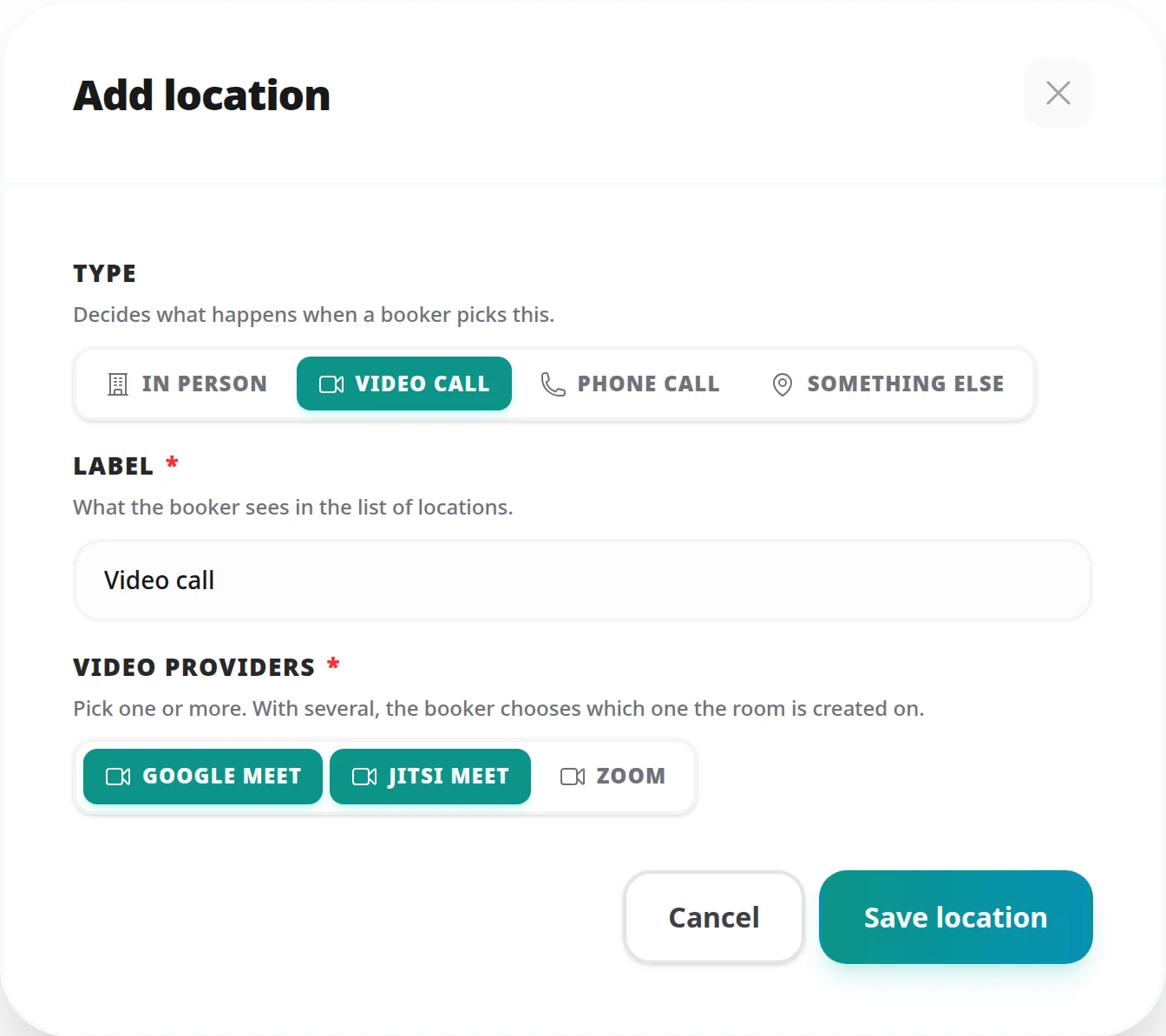
The type decides what happens when somebody picks the location, and which details you are asked for.
In person
Tick one or more of your Saved locations, or add one with + New saved location. Each has a name and an optional address and directions, kept in one place under Dashboard → Locations so several meeting types can share it. Tick several and the person booking chooses; tick none and they are told the address will be arranged after booking. The address is shown to the person booking and written into the calendar invitation.
Video call
Tick one or more of your connected services under Video providers. A room is created automatically for every booking. Tick several and the person booking chooses which one the room is created on.
Phone call
Either publish a Number to call, or tick Ask the booker for their number and you call them instead. One or the other is required, so nobody is left waiting for the other to ring.
Something else
Anything that does not fit the others: a walk in the park, a chat on your own platform, a table at a conference. Add details if the label alone is not enough.
The location question sits on the booking form, next to their contact details. What they are asked depends on how many choices you give them.
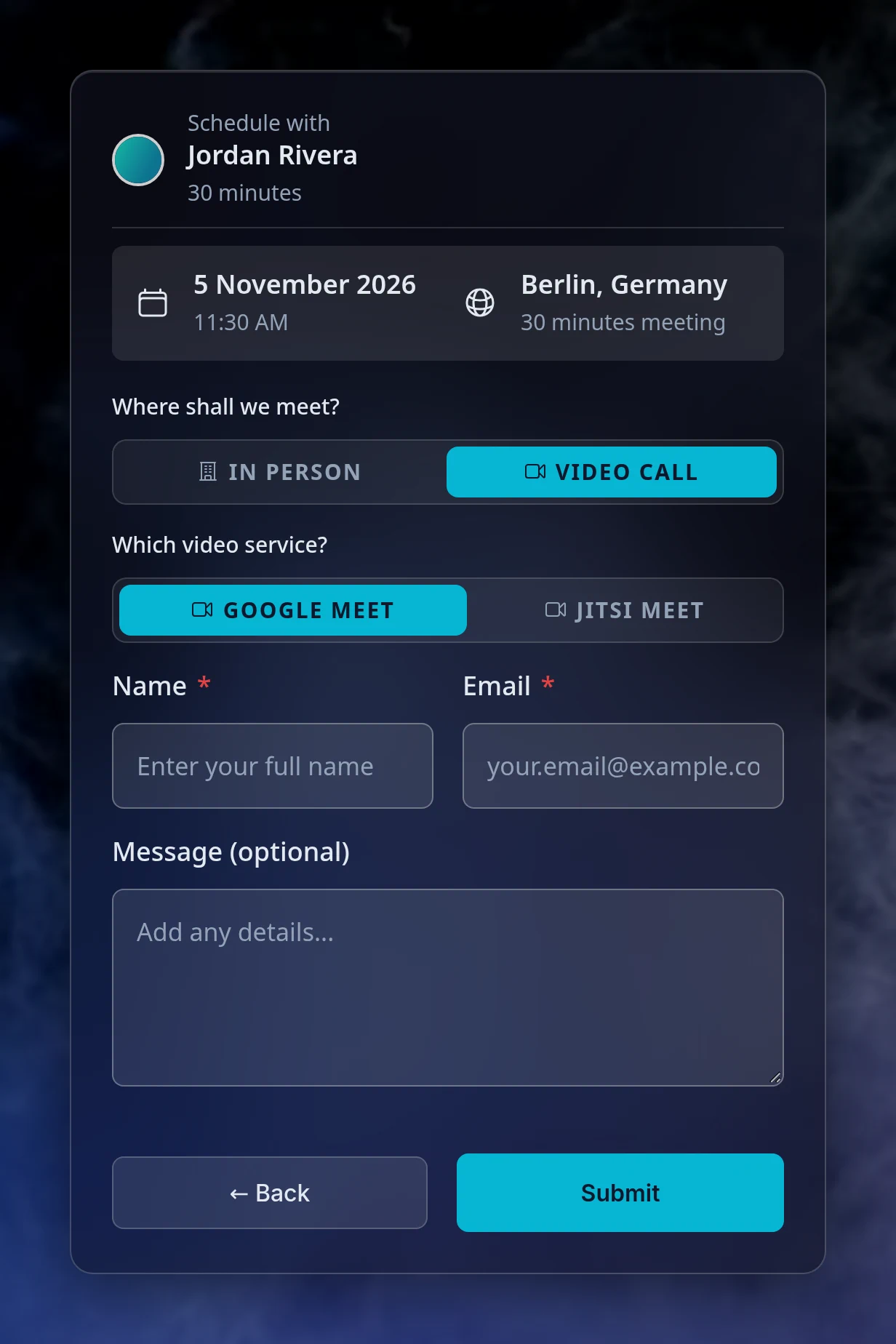
The location picker works the same way in every booking page theme.
Once the booking is made, the location they chose is part of the meeting and travels with it.
Plans change, and not only the time. When the person who booked reschedules, they can pick a different location too.
No. Existing meeting types were moved over to locations automatically and carry on exactly as before. Add a second location whenever you want to give people a choice.
No. A meeting has to be held somewhere, so the last location on a meeting type cannot be deleted. Edit it instead.
Only active integrations are offered to the person booking, so a service you disconnect or switch off simply stops appearing as a choice. If it was the only service on a location, open that location in the editor and tick another one.
Not on one location: ticking several services is how you ask them to choose. With a single service ticked, the room is always created there.
The meeting object carries a location field with the location as one line of
text, the same line the confirmation email uses. See the Webhook Events
Reference for the full payload.
Scheduling, calendar and video integrations, payments, automation and embedding: everything Tymeslot does, on one page.
Keep several named sets of working hours (weekday office hours, evening consults, weekend intensives), each with its own breaks and booking rules, and give every meeting type the one it belongs to.
Hold a booking until you have agreed to it, and tell the person who booked exactly where they stand.
Propose candidate times, invite people by email or share one link, and let everyone mark each time Yes, If need be or No. Confirm the winner and Tymeslot books it as a meeting you manage, with everyone invited.