Availability Schedules
Keep several named sets of working hours — weekday office hours, evening consults, weekend intensives — each with its own breaks and booking rules, and give every meeting type the one it belongs to.
Propose a handful of times, let everyone say which ones work, then turn the winner into a real meeting.

Updated August 18, 2026
A booking link works when one person picks a time from your calendar. It stops working the moment five people have to agree. A poll turns that around: you propose the candidate times, everyone marks each one Yes, If need be, or No, and the grid shows you where the overlap is. Pick the winning time and Tymeslot books it as an ordinary meeting, with invitations, calendar entries and reminders exactly as if it had been booked through a link.
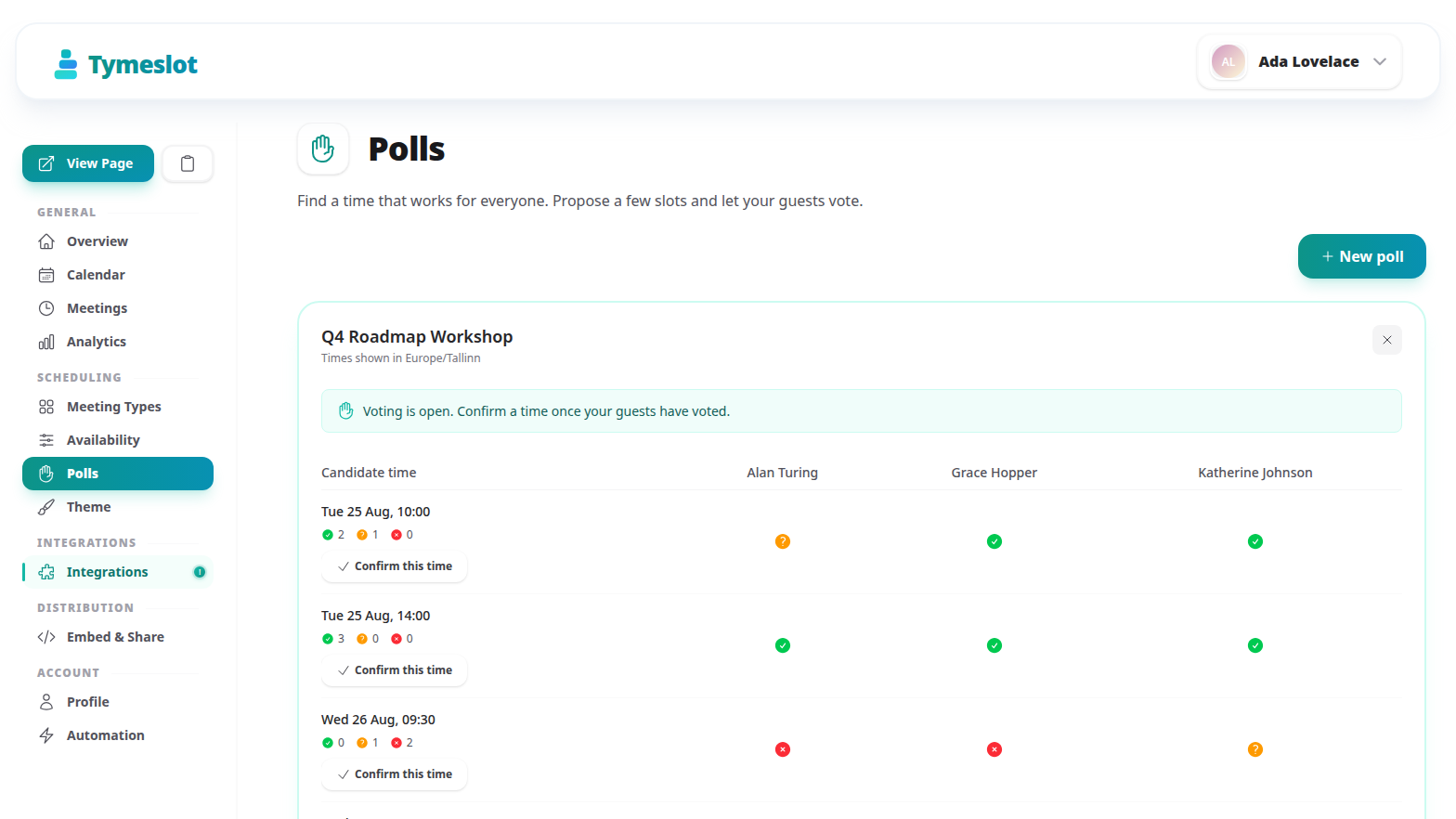
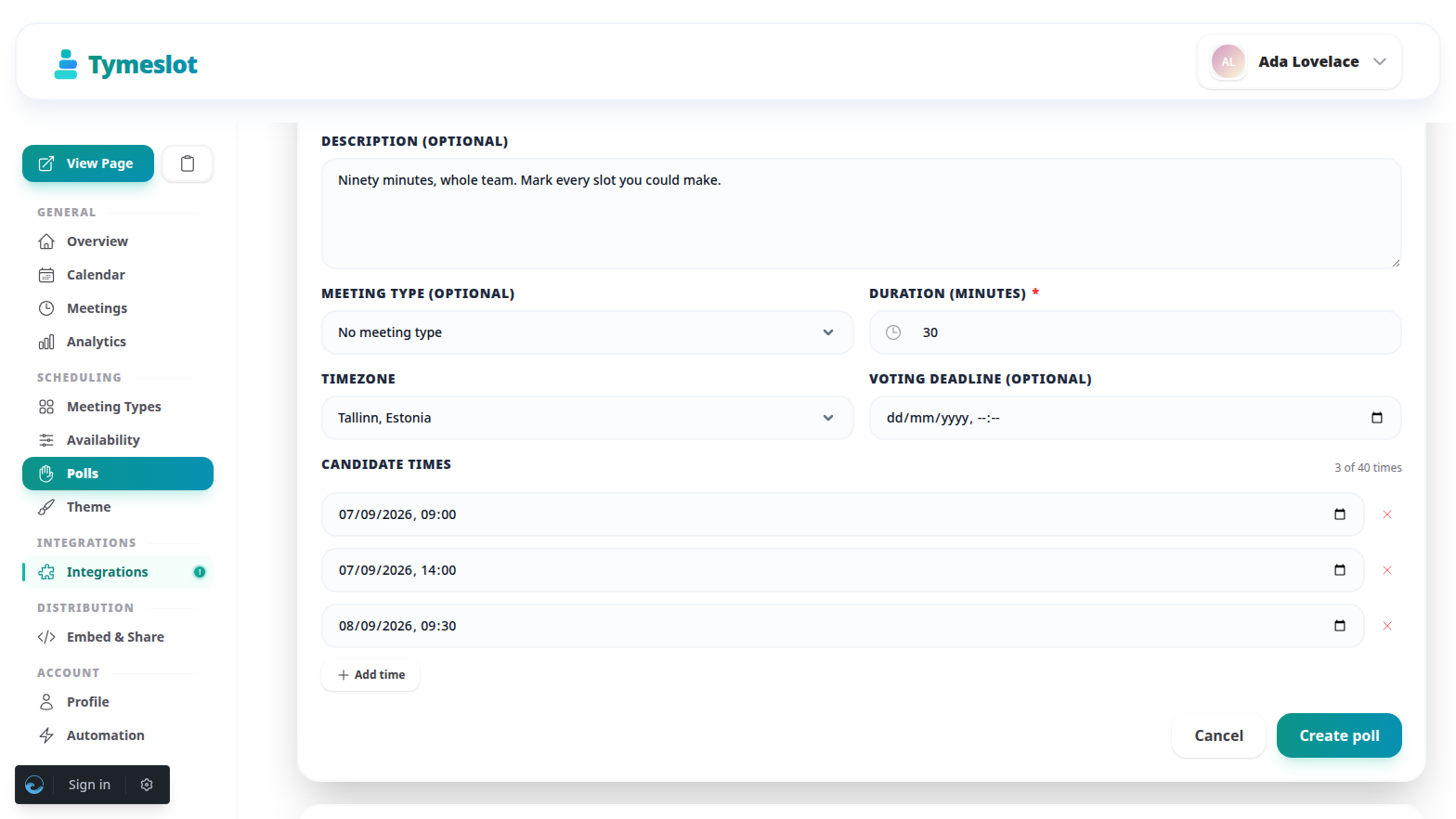
Go to Dashboard → Polls and select New poll. A poll needs a title, a duration and at least one candidate time; everything else is optional.
Each poll has one shareable link, copied from the poll row in the dashboard. Send it to everyone — there is nothing to set up per person, and guests do not need a Tymeslot account.
?p=…
code. That resumes their registration and their answers on a refresh or a bookmark, so it should not be passed on. The plain link is the one to share.
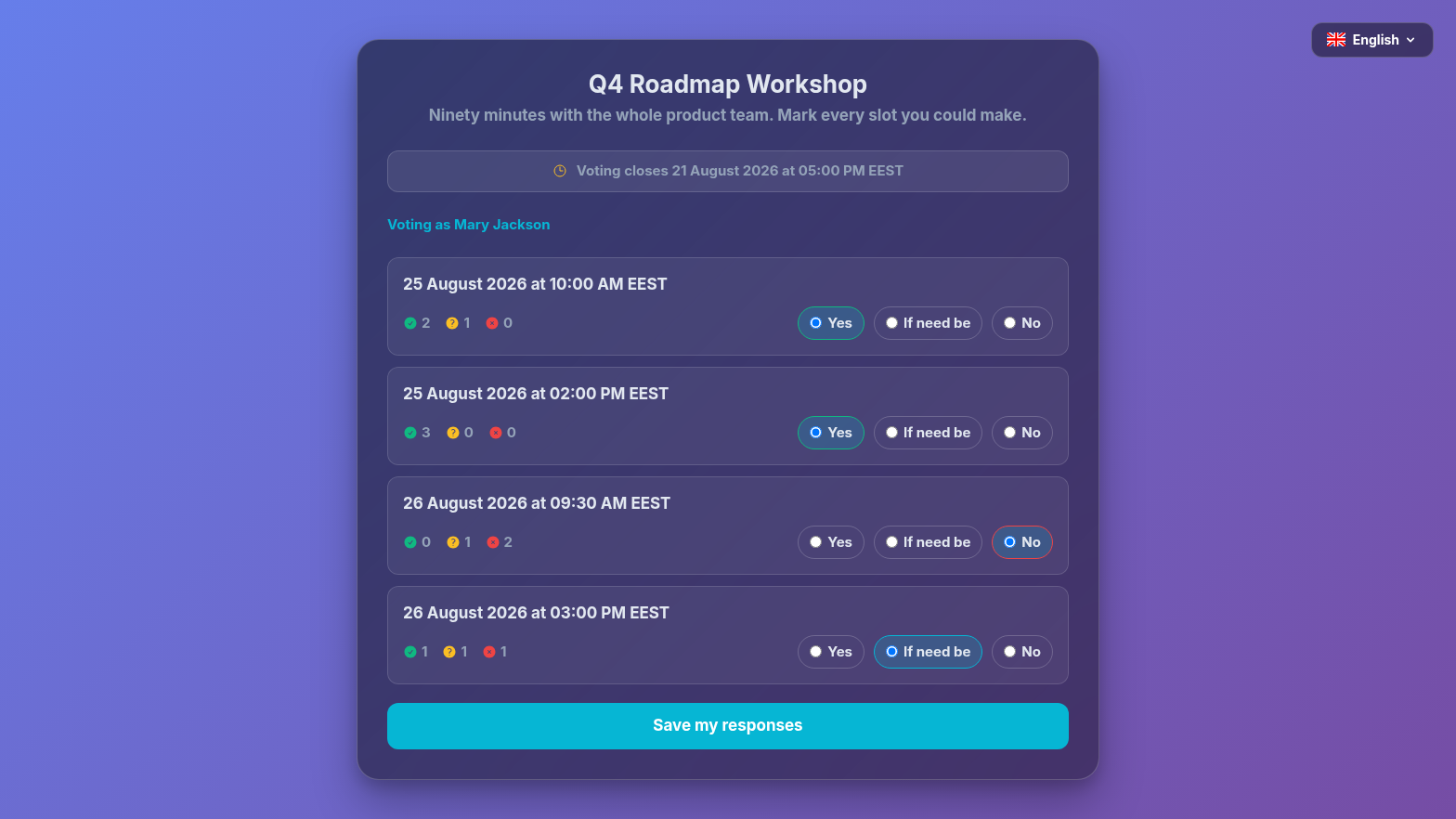
Each candidate time takes one of three answers. The middle one is what makes a poll resolvable: without it, a time that everyone could just about manage looks identical to one nobody can.
Yes
This time works.
If need be
Not ideal, but I will make it work if it is the only time everyone can do.
No
I cannot make this one.
Open the poll's results from the dashboard and select Confirm this time on the row you want. There is no automatic winner: the tallies inform the decision, you make it.
A poll with a deadline chases people for you, so you are not the one sending "any thoughts on those times?" messages.
Keep several named sets of working hours — weekday office hours, evening consults, weekend intensives — each with its own breaks and booking rules, and give every meeting type the one it belongs to.
Hold a booking until you have agreed to it, and tell the person who booked exactly where they stand.
Ask bookers anything you need before the meeting — short text, choices, yes/no, dates, acknowledgements, and more. Answers ride along to confirmations, emails, and your calendar.