Availability Schedules
Keep several named sets of working hours (weekday office hours, evening consults, weekend intensives), each with its own breaks and booking rules, and give every meeting type the one it belongs to.
Hold a booking until you have agreed to it, and tell the person who booked exactly where they stand.

Aktualizováno 13. října 2026
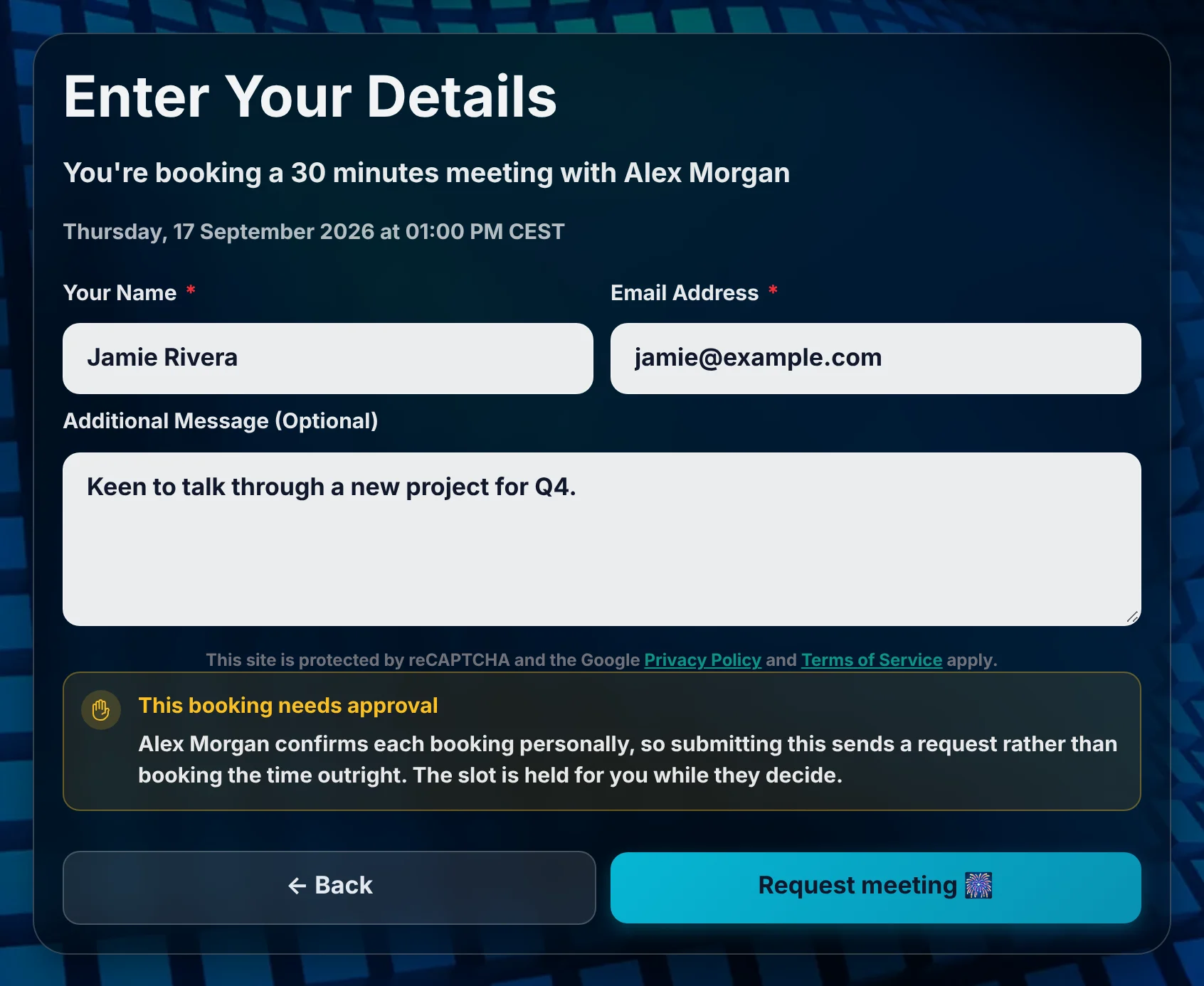
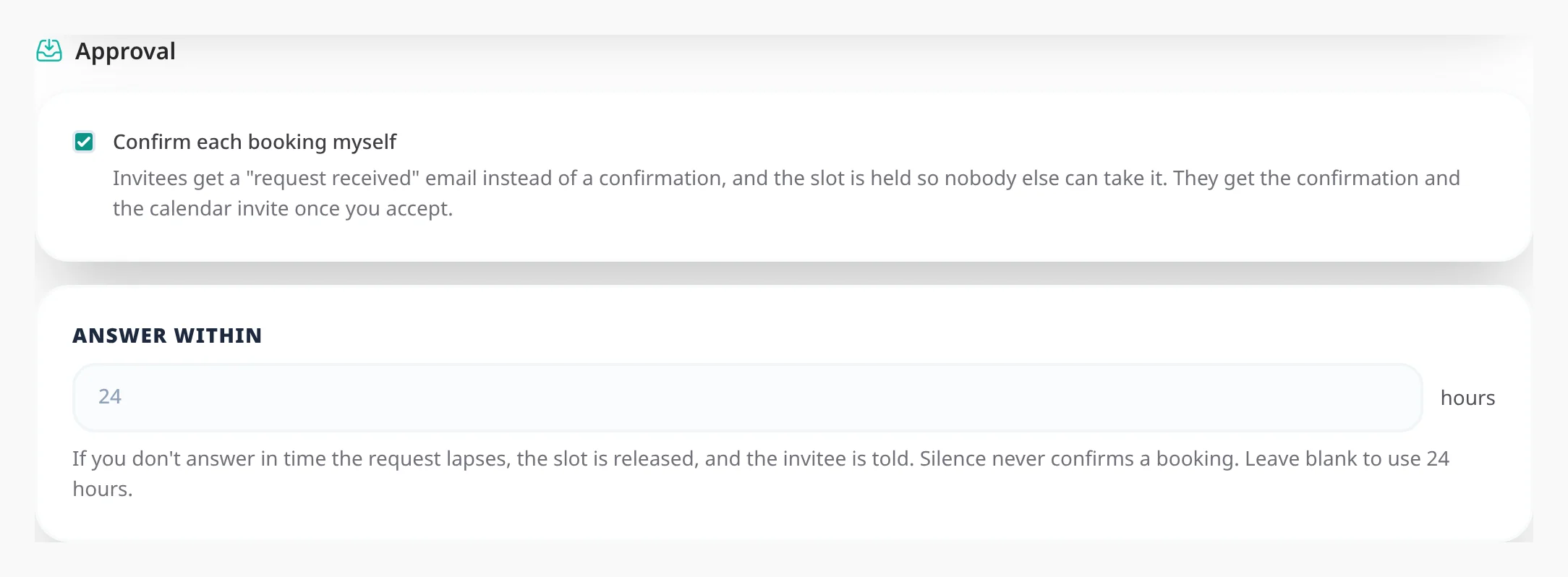
Some meetings can go straight into your week. Others you want to look at first: a new client, a long session, anything where the answer might be "not this time". Turn approval on for a meeting type and its bookings stop confirming themselves. The time is held so nobody else can take it, you get asked, and only your answer confirms it.
They always know where they stand: approval is visible at every step, from the first page to their inbox.
You get an email with Approve and Decline buttons. Both open a page where you confirm the decision with one more click. Opening the link answers nothing, so a mail scanner that follows it cannot accept a meeting for you.
Silence never confirms a booking. Each meeting type has an answer window, 24 hours by default and anything from one hour to two weeks.
Approval is set per meeting type, so you can require it for new-client calls and let your regular catch-ups book instantly. It cannot be combined with group bookings: turn group bookings off first.
Keep several named sets of working hours (weekday office hours, evening consults, weekend intensives), each with its own breaks and booking rules, and give every meeting type the one it belongs to.
Propose several candidate times, let every guest mark each one Yes, If need be or No, then confirm the winner and Tymeslot books it as a real meeting with everyone invited.
Ask bookers what you need to know before the meeting: short text, choices, yes/no, dates, acknowledgements and more. The answers appear in confirmations, emails and your calendar.