For Dentists

Scheduling Software for Dentists and Hygienists

Patients book new patient exams, hygiene visits and emergency slots online, after the reception phone has stopped ringing for the day. Hosted in Germany.

Online booking after hours
Capped emergency slots
Hosted in Germany
Luka Breitig, Software Engineer & AI Developer
Luka Breitig

Updated 5 October 2026

The Problem

Why do dental practices lose patients to the phone queue?

People look for a dentist when it suits them, which is often after the practice has closed. If the only way to book is to ring reception in the morning, some of them never call. Those who do call compete with patients rescheduling, asking about bills and reporting toothache. Tymeslot puts the appointments that suit online booking, such as new patient exams, hygiene visits and consultations, on a booking page that works at any hour, and leaves the phone for the calls that need a person.

Which dental appointments suit online booking

Not every dental appointment should be booked online. Treatment that depends on an examination, such as a root canal or a crown fit, belongs in your practice-management system. What patients can book themselves is the first step: a new patient exam, a scale and polish with the hygienist, a consultation about whitening or aligners, and a same-day emergency slot.

Those four have different lengths and different rules. Emergency slots should open only a day or two ahead and be limited per day. Cosmetic consultations take time to prepare and are easy to book on a whim. In Tymeslot each gets its own meeting type, availability schedule and limits, and on Pro a consultation can take a fixed deposit through your own Stripe account.

Features

Everything Dentists need. Nothing they don't.

Scheduling features shaped around how your practice works.

📅

A Meeting Type per Appointment

New patient exams, hygiene visits, cosmetic consultations and emergency slots each get their own duration, booking link and availability schedule.

✅

Emergency Slots With a Daily Limit

Open emergency appointments only a day or two ahead and cap them per day, so toothache bookings never take over a day of planned treatment.

⏰

Time to Turn the Surgery Round

Set a buffer on each availability schedule for cleaning and setting up the surgery. Tymeslot never offers that time to the next patient.

💳

Deposits for Consultations

On Pro, take a fixed deposit through your own Stripe account when a cosmetic consultation is booked. Routine hygiene can stay free to book.

🔔

Reminders Before Every Visit

Send reminder emails at the times you choose, for example two days and two hours before, so hygiene visits booked months ahead are not forgotten.

🔐

No Advertising Trackers

Booking pages load no advertising trackers and no third-party analytics. On tymeslot.app, Google reCAPTCHA loads once a client starts the booking form, to block spam bookings. Patient details are stored in Germany on the managed service, or on your own server if you self-host.

Data protection

Privacy and compliance for Dentists

A dental booking can show that someone is in pain, has a child in treatment or is considering a cosmetic procedure, and information about a patient's health is special category data under GDPR. Tymeslot keeps the booking side lean: it collects only the questions you add, its booking pages load no advertising trackers, and the practice can host it itself.

Hosted in the EU

The managed service runs on servers in Germany. Booking pages load no advertising trackers; Google reCAPTCHA loads once a client starts the booking form, to block spam bookings.

Data processing agreement

A signed data processing agreement (DPA) comes with the Enterprise plan. The Free and Pro plans do not include one.

Self-host for full control

Run Tymeslot on your own server with Docker, Cloudron or Railway, and booking data never leaves infrastructure you control.

No HIPAA business associate agreement

Tymeslot does not sign HIPAA business associate agreements on any plan. Practices covered by HIPAA should not use it for protected health information.

How self-hosting Tymeslot works

Before & After

See the difference

Same profession. Completely different scheduling experience.

Without Tymeslot

1 A prospective patient finds your website at 21:00 and has to wait for the morning
2 Reception juggles the phone queue and patients at the desk
3 Staff ring patients the day before to remind them

With Tymeslot

1 The patient books a new patient exam that evening
2 Reception's phone carries fewer routine booking calls
3 Reminder emails go out two days and two hours before
Use Cases

Common scheduling scenarios

How other Dentists use Tymeslot every day.

Scenario 1

How do dental practices let new patients book online?

Someone looking for a new dentist often compares a few practices in one evening. The one where they can book there and then has an advantage over the one that asks them to call during opening hours.

  • Create a "New patient exam" meeting type of 45 minutes on its own availability schedule, open at the times you keep for new patients.
  • Ask whether the appointment is for an adult or a child and for a phone number (booking questions are a Pro feature on the managed service).
  • Embed the booking page on your practice website, or link to it from your listing on maps and search.
  • The patient gets a confirmation email straight away, and reminders before the visit.
Result: New patients book the evening they find you, and reception starts the day with appointments already in the diary.
Scenario 2

How do dental practices reduce missed appointments?

Hygiene visits are often booked months ahead, and they are the ones patients forget. Phoning everyone the day before takes reception time that is needed elsewhere.

  • Send a reminder email two days before every appointment and another two hours before.
  • The confirmation email has a link to reschedule or cancel, so a patient who cannot come can move the visit.
  • A cancelled slot reopens on your booking page straight away for another patient.
  • For cosmetic consultations, take a fixed deposit at booking on Pro.
Result: Fewer forgotten visits, and cancelled slots that someone else can book the same day.
Scenario 3

How do dental practices offer same-day emergency slots without losing control of the day?

A patient with toothache wants to be seen today. A practice that sets aside a few emergency slots can help them, as long as those slots cannot swallow a day of planned treatment.

  • Create an "Emergency appointment" meeting type of 30 minutes on its own schedule, with a booking horizon of 2 days and a minimum notice of 1 hour.
  • Limit it to two bookings a day, so the rest of the day stays for planned work.
  • Turn on host approval if you want to phone the patient before confirming the slot.
  • Optionally take a fixed deposit at booking on Pro, so held slots go to patients who intend to come.
Result: Patients in pain can book a slot today, and the practice decides how many such slots there are.
Starter setup

A starter setup for Dentists

Recommended settings to start from. You can change any of them in your dashboard.

New patient exam

Duration
45 min
Buffer
15 min
Minimum notice
1 day
Bookable ahead
6 weeks
Payment at booking
None

Hygiene appointment

Duration
45 min
Buffer
15 min
Minimum notice
1 day
Bookable ahead
180 days
Payment at booking
None

Cosmetic consultation

Duration
30 min
Buffer
15 min
Minimum notice
2 days
Bookable ahead
6 weeks
Payment at booking
€40 deposit at booking

Emergency appointment

Duration
30 min
Buffer
15 min
Minimum notice
1 hour
Bookable ahead
2 days
Payment at booking
None

Intake questions

  • Are you a new or an existing patient?
  • Is the appointment for an adult or a child?
  • Which phone number can we reach you on today?
  • How did you hear about the practice?

Hygiene visits open six months ahead so patients can book their next one as they leave, while emergency slots open only two days ahead. Notice and horizon are set on an availability schedule, so each of these meeting types needs its own schedule.

Intake questions and payments at booking are part of Pro on the managed service, and free when you self-host.

Compare

Tymeslot compared with Jane, Cliniko, Acuity and Calendly

Facts from each vendor's own pages, with the date we checked them.

Feature Tymeslot Jane Cliniko Acuity Calendly
Free plan Yes: unlimited bookings and meeting types No: paid plans only; a demo account to try No: 30-day free trial No: 7-day trial, no card needed Yes, limited to 1 event type and 1 calendar
Entry price Pro €9/month, flat; self-hosting is free CAD $59/month (1 practitioner, 20 bookings) US$45/month for 1 practitioner $16/month paid annually ($20 paid monthly) $10/seat/month, billed yearly
Hosting in the EU Yes, in Germany No: UK and Europe clinics are stored in the UK Yes: Ireland for accounts created in Europe No: data is stored in US data centres No: data is stored in US data centres
Self-hosting Yes: Docker, Cloudron or Railway No: hosted service only No: hosted service only No: hosted service only No: hosted service only
Open source Yes, GNU AGPLv3 No: hosted service only No: hosted service only No: hosted service only No: hosted service only
Booking page without third-party scripts No ad trackers; reCAPTCHA on the booking form No: third-party scripts load (Google Analytics, Google Tag Manager) Not checked Not checked No: third-party scripts are referenced (Stripe, reCAPTCHA, Airbrake, Google Tag Manager)
Deposit or payment at booking Pro or self-hosted: a fixed amount via Stripe Yes: card on file, deposit or full payment Yes: deposit or full payment via Stripe Yes, on all plans: Stripe, Square, PayPal, Venmo Paid plans only: Stripe or PayPal at booking
Custom intake questions Pro or self-hosted: 10 question types Intake forms are sent after booking Intake forms are sent with confirmations Yes, on all plans: custom client forms Yes: up to 10 questions per event type, on all plans
Signed data processing agreement Enterprise plan only Yes: provides data processing agreements Yes: incorporated into the terms where GDPR applies Not checked Yes: accepted with the customer terms
Signs a HIPAA business associate agreement No Yes, on request for HIPAA-covered subscribers Yes, on request Not checked Not checked

Sources: Jane: Jane pricing (checked 5 October 2026) Jane: Jane GDPR and data storage guide (checked 5 October 2026) Jane: Jane online booking pre-payments (checked 5 October 2026) Jane: Jane online booking (checked 5 October 2026) Jane: Jane terms of use (checked 5 October 2026) Jane: Jane demo booking page (checked 5 October 2026) Cliniko: Cliniko pricing (checked 5 October 2026) Cliniko: Cliniko security (checked 5 October 2026) Cliniko: Cliniko deposits at online booking (checked 5 October 2026) Cliniko: Cliniko patient forms (checked 5 October 2026) Cliniko: Cliniko GDPR help article (checked 5 October 2026) Acuity: Acuity Scheduling pricing (checked 5 October 2026) Acuity: Where Squarespace stores data (checked 5 October 2026) Calendly: Calendly pricing (checked 5 October 2026) Calendly: Calendly data storage (checked 5 October 2026) Calendly: Calendly data processing addendum (checked 5 October 2026) Calendly: Calendly demo booking page (checked 5 October 2026) Calendly: Calendly invitee questions (checked 5 October 2026)

How to choose

What to check before you choose

  • Find out where client data is stored and which companies process it for the vendor.
  • Ask whether a signed data processing agreement comes with the plan you would buy.
  • If your practice is covered by HIPAA, confirm the vendor signs a business associate agreement.
  • Open the vendor's booking page in a fresh browser and see which third-party scripts it loads.
  • Decide whether you need notes and invoicing in the same tool, or scheduling alone.
  • Check that deposits and intake questions are on a plan you can afford.

Compare Tymeslot's plans

ROI Calculator

How much time could you save?

Adjust to match your practice and see your potential savings.

Calculate your time savings

Drag the sliders to match your practice.

30
140
€90
€20 €500
6m
5m60m

180

minutes saved per week

156.0

hours saved per year

€14,040

annual value of saved time

Integrations

Which calendars and tools do dentists use with Tymeslot?

Connects to the tools you already use. No extra setup.

Google Calendar
Outlook
CalDAV
Pricing

Start free, upgrade when you're ready

Core scheduling is always free. No credit card required.

Free

€0 / month

  • Unlimited bookings and meeting types
  • Calendar sync (Google, Outlook, CalDAV)
  • Auto video rooms (Meet, Teams, Zoom, Jitsi, Nextcloud Talk and more)
  • Booking page at tymeslot.app/you
  • Email reminders & notifications
  • Both booking themes and website embeds
Pro

Pro

€9 / month

  • Everything in Free
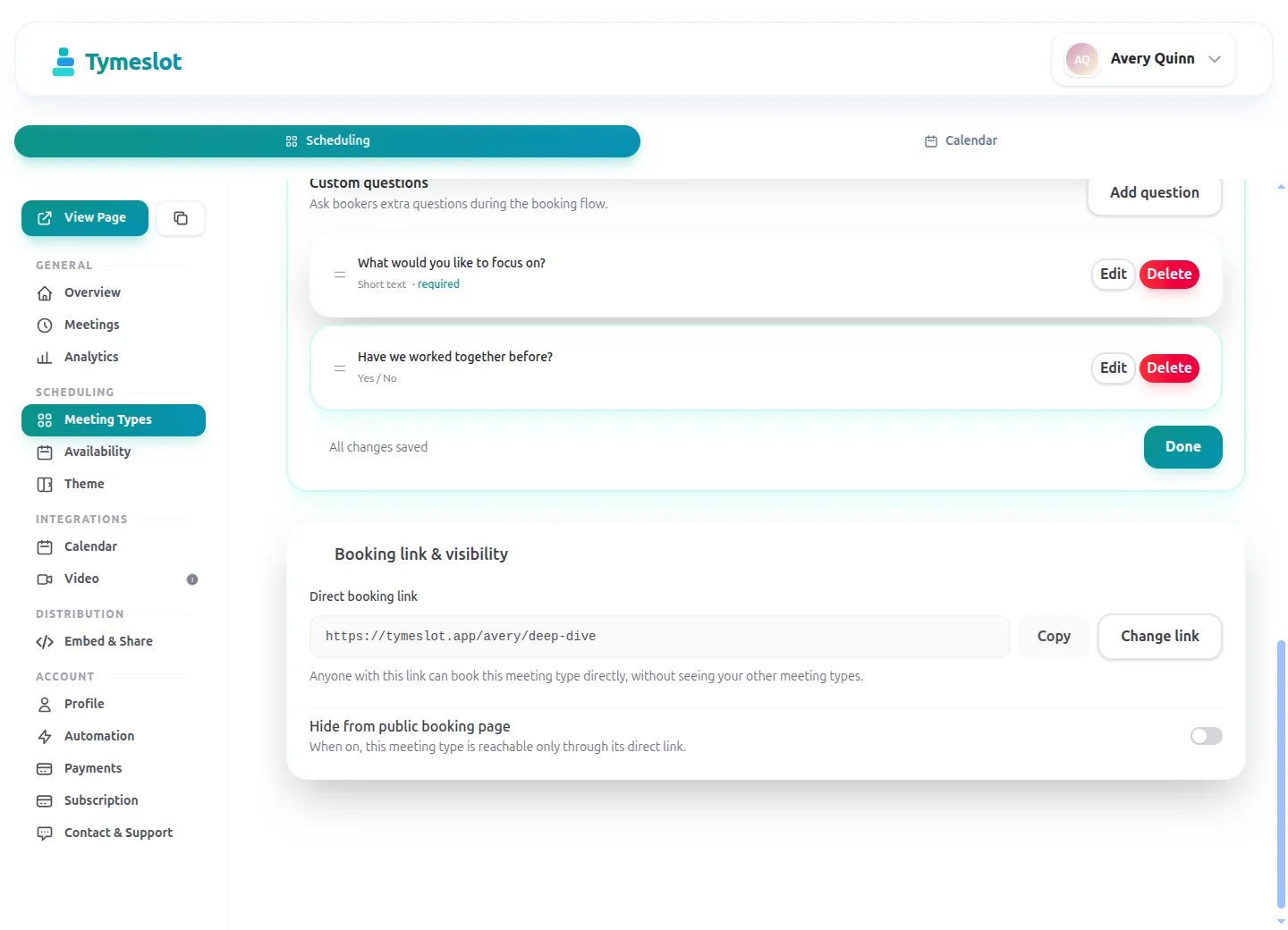
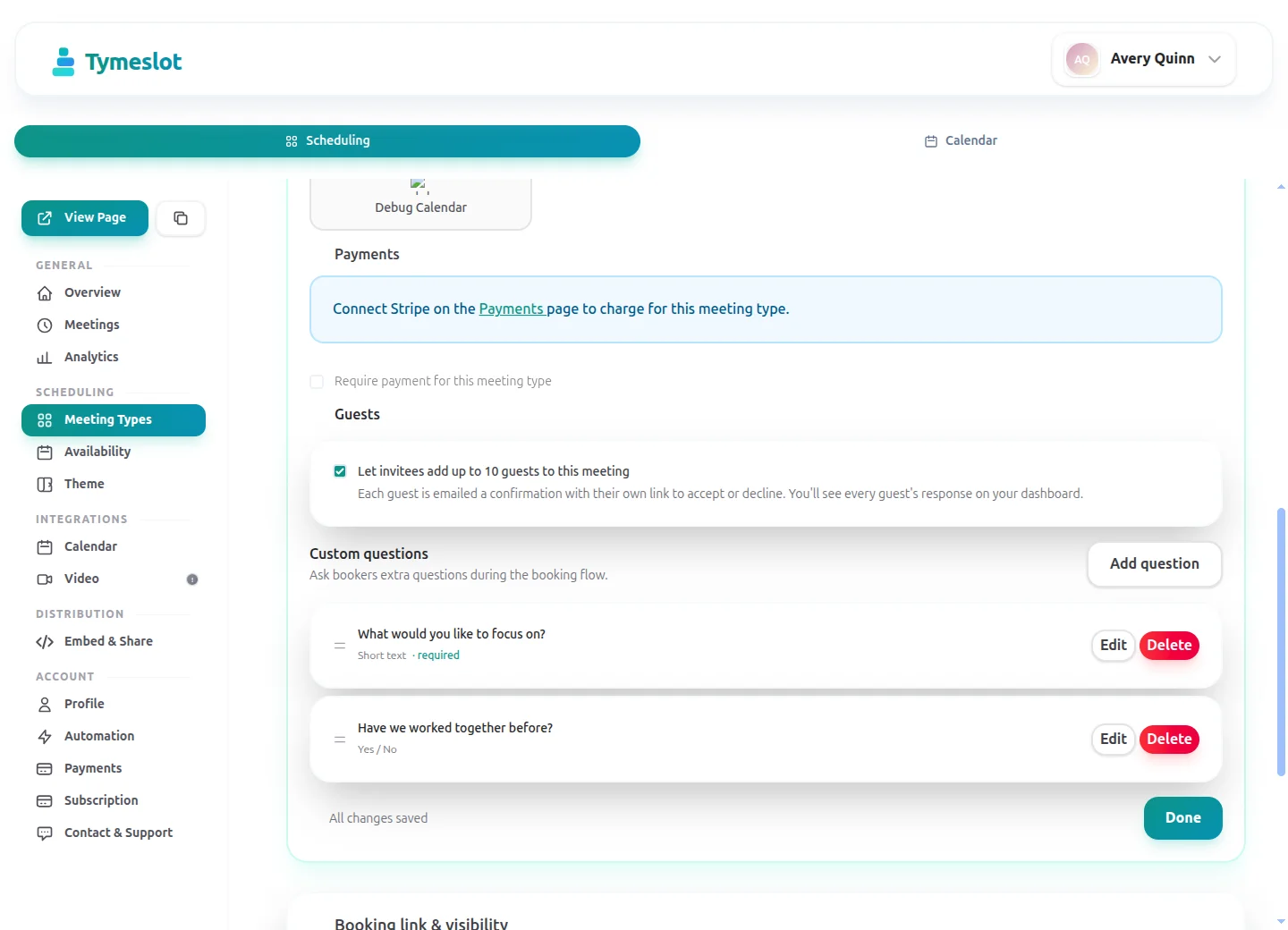
  • Custom booking questions for intake
  • Payments at booking via your own Stripe account
  • Remove Tymeslot branding from booking pages
  • Booking analytics and automation
Booking Themes

See Tymeslot in action

Try both booking themes live - no account needed.

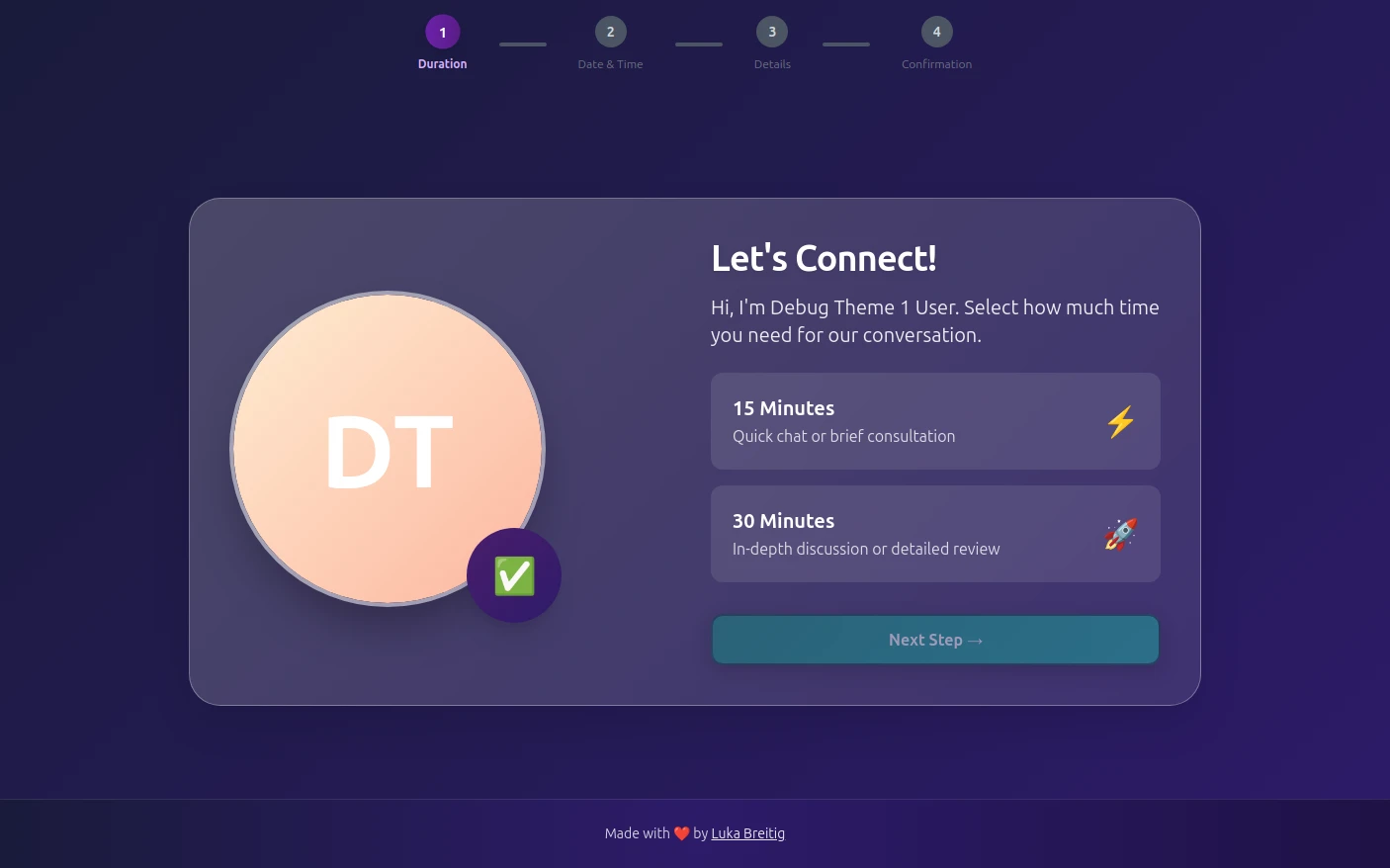
Quill theme preview
Quill

Quill

Professional Glassmorphism

Try Live Demo
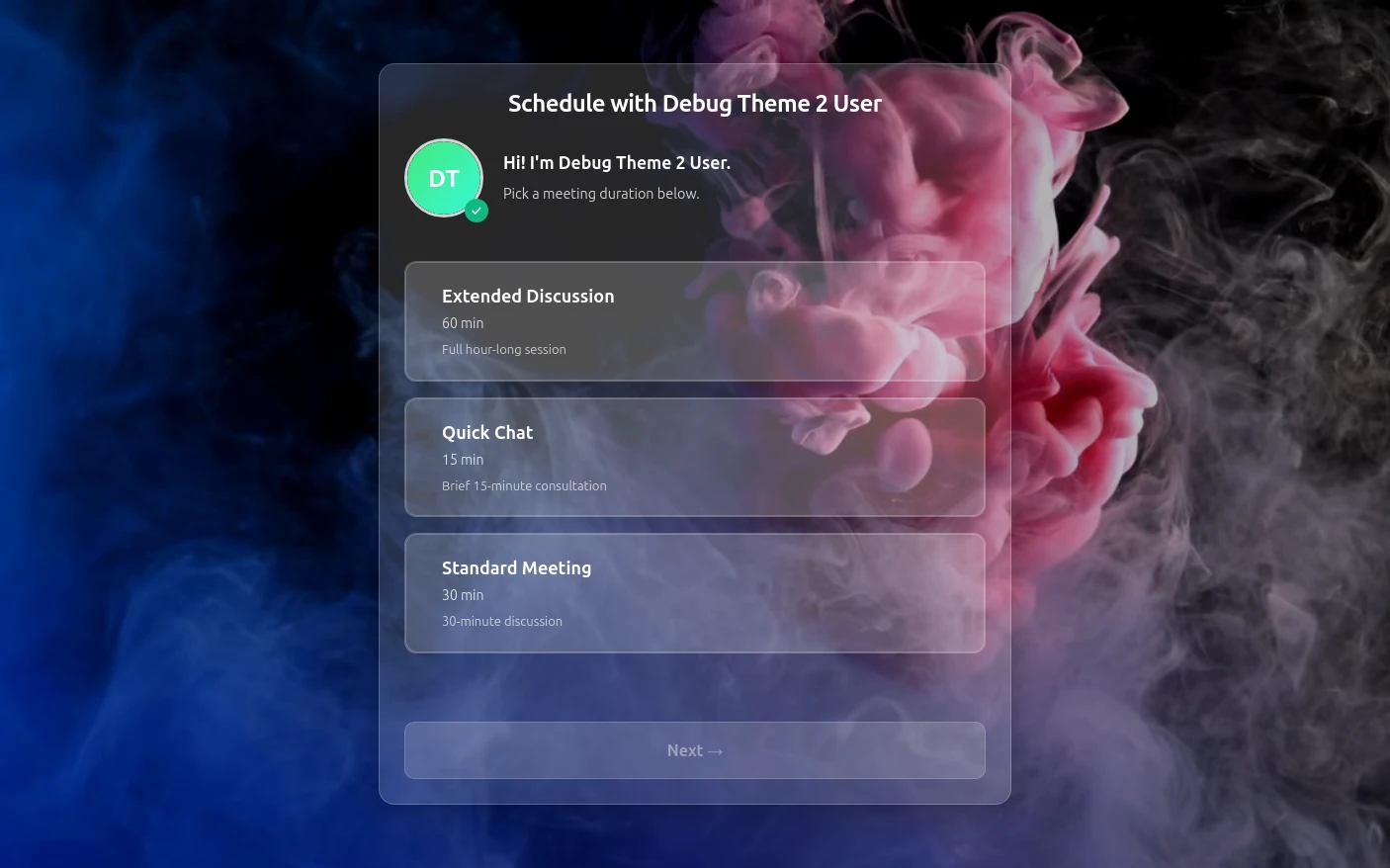
Rhythm theme preview
Rhythm

Rhythm

Immersive Experience

Try Live Demo
FAQ

Frequently Asked Questions

Is Tymeslot GDPR compliant for dental practices?

A patient booking an emergency slot through a dental practice's Tymeslot page is not followed by ad networks: the page loads no advertising trackers or third-party analytics, and the managed service is hosted in Germany. On tymeslot.app, Google reCAPTCHA loads once a client starts filling in the booking form, to block spam bookings; a self-hosted instance runs it only if you configure it. Clinical records, X-rays and their retention stay in your practice-management system, and your GDPR duties for them are unchanged. For a dental group, the Enterprise plan adds a dedicated instance in the region you choose and a signed data processing agreement; Free and Pro include no such agreement. A practice can also self-host to keep bookings on its own servers.

Can Tymeslot replace dental practice-management software?

Tymeslot does not replace dental practice-management software: it is scheduling software for dentists with no charting, treatment plans, X-rays or billing, and it runs next to the system you already use. It is suited to the appointments patients can book without an examination first: new patient exams, hygiene visits, consultations and emergency slots. Treatment that follows an exam is best booked in your main system.

Will Tymeslot sign a HIPAA BAA for a US dental office?

Tymeslot does not sign HIPAA business associate agreements on any plan, so a US dental office that is a covered entity should not use it to handle protected health information. An appointment request that mentions toothache would be protected health information in such an office. Tymeslot is built and hosted in the EU and has no HIPAA programme. European dental practices work under GDPR and their national dental council's rules instead.

How do dentists reduce no-shows with Tymeslot?

Reminder emails before every visit are a dental practice's main defence against no-shows in Tymeslot, backed by a link that lets patients reschedule and, on Pro, a fixed deposit on cosmetic consultations, which are easy to book on a whim. Deposits go into the practice's own Stripe account. Tymeslot does not enforce a cancellation deadline or charge late fees, so put your policy in each meeting type's description.

How does Tymeslot compare with Calendly for a dental practice?

Tymeslot hosts a dental practice's booking pages in Germany, while Calendly states that it stores data in US data centres. Neither keeps dental records. Calendly's free plan is limited to one event type, according to its pricing page; Tymeslot's free plan has no limit on meeting types, which matters when exams, hygiene and emergencies each need their own rules.

Can a dental practice self-host Tymeslot?

Yes, a dental practice can self-host Tymeslot with Docker, Cloudron or Railway, on its own server or one it rents, so patient bookings never leave infrastructure it controls. If your IT provider already runs servers for imaging or records, one more service on them may be the simplest route. The self-hosted version is free and open source under the GNU AGPLv3, with every feature and no platform fee.

Is there a free plan for dentists?

Yes, Tymeslot's free plan lets dentists run new patient exams, hygiene visits and emergency slots as separate meeting types with unlimited bookings, daily limits, host approval, calendar sync and reminders. A practice moves to Pro (€9/month) for deposits on cosmetic consultations and booking questions such as a contact number for emergencies, along with booking analytics and automation.

Which calendars and video tools work with Tymeslot for dentists?

Tymeslot syncs dentists' and hygienists' bookings with Google Calendar, Outlook, Microsoft Exchange, Apple iCloud and other CalDAV calendars, and busy times there block those hours on your booking page. Video is useful for cosmetic consultations, where Tymeslot creates a Google Meet, Microsoft Teams, Zoom or Jitsi link at booking. Patients see only that a time is taken.

Moving from another booking tool? See how Tymeslot compares with Calendly, Cal.com and others

Ready to reclaim your time?

Free plan available. No credit card required. Setup in 5 minutes.

No credit card required
Setup in 5 minutes
Privacy-first